


By Erfan Ahmed | Updated: 23 November 2026 | Product facts last verified: 18 November 2026.
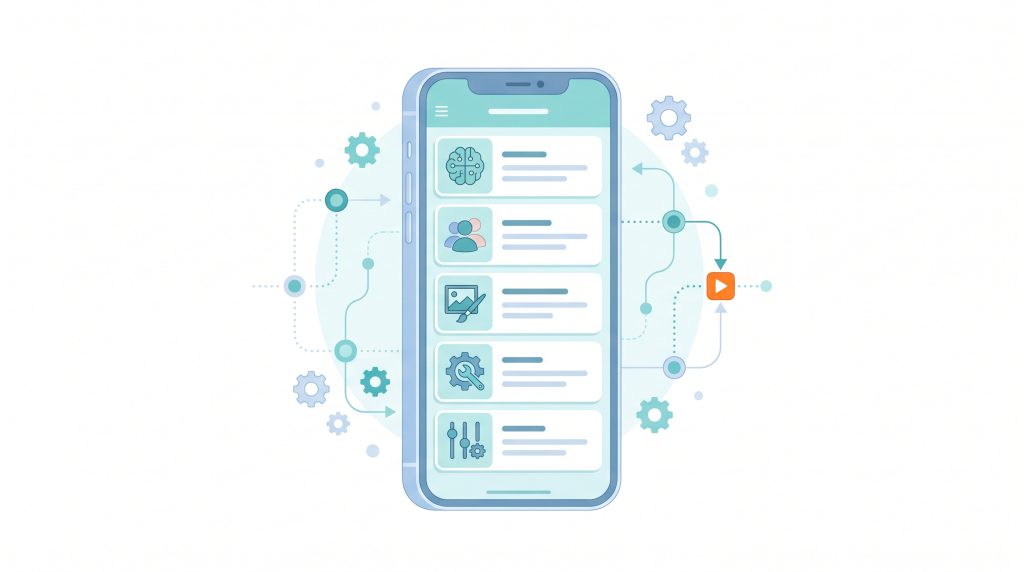
To open the Erfan MD WhatsApp bot commands list, send .menu in your connected WhatsApp chat. The bot displays its command categories, covering AI, coding, group management, creative tools, utilities, and other functions. The public bot lists over 800 commands. Use the live response rather than an old screenshot to check available commands, permissions, and any displayed version information.
Key takeaways
- Send
.menuto display the available command categories inside WhatsApp. - The public bot lists over 800 commands across different functional and permission categories.
- Most group-management commands require the bot account to hold WhatsApp group admin status.
- The connected confirmation message displays the active prefix
.and modepublic. - Use a version label displayed by the live bot itself rather than relying on historical screenshots.
Erfan MD is an independent third-party WhatsApp bot project. WhatsApp and Meta do not own, operate, or certify the project.
How to view the live Erfan MD command menu and version
You can access the command catalogue directly from the connected WhatsApp account without browsing a separate command database. Send .menu to the bot, inspect the categories in its response, and read any version information displayed there. The WhatsApp response is your reference for the commands available to your session.
Exact command to fetch the current menu inside WhatsApp
Open the WhatsApp conversation connected to your Erfan MD bot account. Enter the confirmed menu command and send it as an ordinary WhatsApp message.
Command: .menu
The bot responds with its command categories. Use this response to find the relevant function before attempting to run an individual command.
For example, when you need a sticker function, locate the image and sticker category before using .sticker. When you need a group-management function, inspect the group category and check its permission requirements first.
The documented command examples include:
.aifor an AI-related function..grammarfor a grammar-related function..stickerfor sticker creation..tagalland.pollfor group functions..weatherand.praytimefor utilities..pingand.uptimefor status-related functions.
For information about the connection itself, see how the Erfan MD bot connection works. The documentation website, pairing form, and WhatsApp bot are separate parts of the service. A problem with one does not automatically mean the other two are unavailable.

Reading the version header, prefix indicator, and active mode
After a successful connection, the bot sends a confirmation message displaying its active command prefix and operating mode. The documented initial indicators are . for the prefix and public for the mode. These settings help you understand how to address commands and who can receive bot replies.
Keep these three pieces of information separate:
| Information | What it tells you | How to check it |
|---|---|---|
| Version label | The build identifier displayed by the bot, when included in its response. | Read the version text returned by the live bot. Preserve its exact wording. |
| Command prefix | The character used before a command. | Check the connected confirmation message. The documented initial prefix is .. |
| Operating mode | Who can receive replies from the bot. | Check the connected confirmation message. The documented initial mode is public. |
Do not treat the prefix or operating mode as a version number. They describe different settings.
To review the current version, use the exact version label displayed in the live bot response. Do not create a separate version command or infer a build number from an archived screenshot.

Verified safe WhatsApp bot command categories at a glance
The public command catalogue covers AI, coding, group management, image and sticker creation, search and media, settings, utilities, status, owner, and admin functions. It lists over 800 commands, but category membership does not automatically grant permission to execute every item. Check the live .menu response and your account’s access before running a command.
Live Category & Availability Summary Table
The following table organizes the documented public categories and confirmed command examples. Category coverage reflects the supplied product verification dated 18 November 2026. Use the live menu to check individual entries and access instructions for your connected session.
| Category name | Verified live status | Permission level | Example safe command | Dedicated guide |
|---|---|---|---|---|
| AI and coding | AI and coding categories are listed in the public catalogue. Check individual entries in .menu. | Follow the access instructions for each command. | .ai, .grammar | Explore Erfan MD features |
| Image and sticker tools | Image and sticker categories are listed in the public catalogue. | Check the live command entry before use. | .sticker, .neon | Sticker maker command guide |
| Group management and moderation | Group commands are included in the public catalogue. | Most group commands require the bot account to be a group admin. | .tagall, .poll, .welcome, .goodbye | Group welcome and goodbye guide |
| Search, media, and utilities | These categories are included in the public catalogue. | Check the individual command’s access instructions. | .weather, .praytime, .8ball, .truth, .dare, .coinflip | Browse Erfan MD guides |
| Settings and status | Both categories are included in the public catalogue. | Check access before changing core settings. | .prefix, .botname, .mode, .ping, .uptime | Public mode and permissions guide |
| Owner and admin | Separate owner and admin categories are included in the public catalogue. | Restricted to the applicable owner or admin role. | Use the individual entries shown in .menu. | Read the Erfan MD FAQ |
AI assistants, creative tools, stickers, and utilities
AI and creative commands let you access different functions through WhatsApp messages. The documented examples include .ai, .grammar, .sticker, and .neon. Utility examples include .weather, .praytime, .8ball, .truth, .dare, and .coinflip.
These commands serve different purposes. An AI request is not the same as a sticker-generation request, and a utility command does not necessarily use the same inputs as either.
AI commands may route requests through third-party AI services. A provider name appearing in a command alias does not establish that the provider operates the bot.
For an image-related example, see the Erfan MD image and background-removal guide alongside the sticker instructions.
Group management, moderation, and diagnostic commands
Group commands operate in a different context from ordinary private-chat commands. Examples include .tagall, .poll, .welcome, and .goodbye. Most group commands require the bot’s WhatsApp account to hold group admin status.
Before using one, open the relevant WhatsApp group and check the bot account’s actual group permissions. A command appearing in the catalogue does not mean the bot can perform the requested group action without the required permissions.
Diagnostic commands such as .ping and .uptime belong to a separate category. Use the entries shown by the live menu rather than assuming that every diagnostic command accepts the same syntax.
Why historical menu snapshots do not guarantee current aliases
A saved menu screenshot represents the menu returned at the time of capture. It cannot establish that every command name, alias, or permission remains unchanged in a later session. This distinction matters when users copy commands from old articles, screenshots, or shared message examples.
For example, a historical beta-build screenshot or a previously recorded command total should not replace the current bot response. The public catalogue is documented as containing over 800 commands, but that does not guarantee that every historical alias is available to every account.
Use this decision rule:
- For category discovery, run
.menu. - For exact command spelling, copy the entry shown by the live menu.
- For group functions, check the bot’s group admin status.
- For owner or admin functions, follow the role restrictions attached to the command.

Separating user, group-admin, and owner commands
Not every command in a WhatsApp bot catalogue is intended for every account. Public mode determines who can receive bot replies, group-admin status affects most group-management commands, and owner or admin categories have separate role restrictions. Check each command’s access instructions before testing it, especially when it can affect a group or change settings.
How to tell whether a menu item is restricted before running it
Start by identifying the category containing the command. Group-management entries need particular attention because most of them require the bot account to hold WhatsApp group admin status.
Owner and admin categories should also be treated separately from ordinary user functions. Do not assume that access to the public menu grants access to these restricted functions.
Understand the difference between the bot’s operating modes:
| Mode | Who receives bot replies | What to expect |
|---|---|---|
public | Anyone | The bot replies to commands from anyone. |
private | The account owner only | The bot limits command replies to its owner’s account. |
The commands .prefix, .botname, and .mode adjust core settings. Read the corresponding live menu entry before using them, rather than experimenting with configuration commands during an ordinary command test.
Safe command-testing workflow in a private chat
A private-chat test helps you check command discovery and bot responses without immediately attempting group actions. Use a simple workflow that separates ordinary command testing from permission-dependent operations.
- Open the connected private conversation. This gives you a controlled place to inspect the bot’s response without affecting a group.
- Send
.menu. This establishes which categories and command names the bot returns for your session. - Select a documented status example such as
.ping. This lets you test a simple command response before moving to more complex functions. - Check the required role before testing a group command. This prevents an unnecessary permission failure and avoids attempting group actions without admin status.
- Leave core configuration commands until you understand their effects. Commands such as
.prefix,.botname, and.modechange settings rather than simply displaying the menu.
Only pair an account you own or have permission to manage. Never share WhatsApp verification or pairing codes with another person.
Common command-menu mistakes and how to correct them
Many command failures begin with an incorrect assumption about syntax, permissions, or the bot’s active settings. Check these issues before repeatedly sending the same command. A short comparison helps you identify the next useful action without confusing a group permission problem with a service problem.
| Mistake | Why it matters | What to do |
|---|---|---|
| Copying a command from an old screenshot | The screenshot may show an earlier menu or alias. | Run .menu and use the command shown in the live response. |
| Using the wrong prefix | The bot may not recognize a command entered with an incorrect prefix. | Check the connected confirmation message and the active prefix. |
| Running a group command without bot admin status | Most group commands require the bot account to hold group admin status. | Check the bot’s role in the WhatsApp group before trying again. |
| Assuming public mode means every command is unrestricted | Public mode controls who receives replies, not every command’s permission level. | Check the command’s category and applicable role requirements. |
| Testing settings commands without checking their effects | Core settings can change the bot’s behavior. | Read the live instructions before using .prefix, .botname, or .mode. |
| Treating a command category as proof of availability | A category listing does not guarantee that every item works for every role or session. | Check the individual entry and test it in a private conversation first. |
| Treating the prefix or mode as a version number | These values describe configuration, not a build identifier. | Read the version text displayed by the live bot separately. |
Tracking Erfan MD updates and version changes
The WhatsApp bot’s live response should be your reference for its displayed version and command menu. Record each review date, preserve the exact version wording, and compare the latest categories and syntax with the previous dated capture. An older build label or command total should remain historical evidence rather than becoming a current-version claim.
Monthly verification log: date, version, and key changes
A useful monthly verification record separates the version identifier from actual menu changes. Record what the bot displays instead of estimating a version from a command total or the appearance of an older screenshot.
| Date | Live version observed | Key changes |
|---|---|---|
| 23 November 2026 | Transcribe the exact version header returned by the live bot. | Compare visible category names, command entries, and syntax with the preceding dated capture. |
Keep the original screenshot or test record with each dated review. This gives future updates a consistent reference and makes it easier to distinguish an actual menu change from a difference in an individual user’s permissions.
What to do when a previously working command disappears
Start by requesting the menu again with .menu. Compare the command’s spelling and prefix with your previous copy, then check whether the command belongs to a category that requires group-admin, owner, or admin permissions.
Use the following troubleshooting sequence:
- Check that your WhatsApp account is still connected to the bot.
- Request a fresh command menu with
.menu. - Check the exact command name and prefix.
- For group commands, verify the bot account’s group admin status.
- Check whether the command depends on a particular mode or permission.
- Save the command, menu response, and date if the problem continues.
Keep troubleshooting evidence useful and safe. Redact phone numbers, pairing codes, private messages, and other account information before sharing screenshots. For service-related help, contact company@explorefrag.com.
Limits and what can change
A command guide describes documented functions and the menu-checking process, not a permanent guarantee that every command will behave identically. The bot relies on a remote service and its hosting infrastructure, while WhatsApp controls account linking and restrictions. AI commands may also depend on third-party AI services, so their responses can involve additional external systems.
The pairing process never asks for your WhatsApp password. However, a linked device can receive messages on the account, so only link a service you trust. You can unlink a connected device through WhatsApp’s Linked Devices settings.
WhatsApp’s Help Center explains that unofficial third-party apps are unsupported and may expose accounts to security risks or restrictions. Read its guidance about unofficial WhatsApp applications before deciding to connect a third-party service.
For information about how Erfan MD handles session and server data, read the Erfan MD Privacy Policy. Avoid relying on blanket claims about account access or data handling when evaluating a linked service.
Frequently asked questions about the Erfan MD command menu
The following answers address the main questions about finding WhatsApp bot commands, understanding command availability, and checking version information. Use the live menu as your reference for command names, access requirements, and any version details the connected bot actually displays.
What command opens the full Erfan MD menu on WhatsApp?
Send .menu in the connected Erfan MD WhatsApp conversation. The bot responds with its command categories, allowing you to browse the available functions. Use the returned menu rather than relying on an old command screenshot.
How many commands are active in Erfan MD right now?
The public Erfan MD bot lists over 800 commands across its functional and permission categories. That catalogue figure does not guarantee that every command or alias works for every account or role. Run .menu to inspect the commands returned to your connected session.
How do I check which version of Erfan MD is currently running?
Inspect the version header or build information displayed by the live bot response and copy its exact wording. Send .menu to obtain the command menu, and distinguish any displayed version label from the prefix . and mode public. Do not use an archived screenshot as proof of the running version.
Why does a command appear in the menu but fail when I run it?
A menu entry does not automatically grant every account permission to execute that command. Check your active prefix, operating mode, account role, and the bot’s group admin status when using group functions. AI commands may also depend on third-party services or the remote bot infrastructure.
Where can I see the exact syntax for a specific Erfan MD command?
Start with .menu and locate the command’s category. Read the individual entry and use its displayed spelling and instructions rather than copying an older example. You can also consult the relevant Erfan MD feature documentation for additional command context.
Next steps: use the command menu safely
Use the live menu as your starting point whenever you need to discover a command or verify its spelling. Check permissions before testing group functions, keep configuration changes deliberate, and maintain dated evidence when reviewing changes. The following resources help you move from command discovery to specific feature use.
- Open the live WhatsApp menu with
.menuand identify the category you need. - Review the group welcome and goodbye command guide before configuring group greetings.
- Use the sticker maker guide to explore the sticker-related function.
- Check the public mode and permissions documentation before changing who can receive bot replies.
About this guide
This command reference is written by Erfan Ahmed, founder of Erfan MD, with a software development background and based in Pakistan. It explains how to browse the documented command categories, check permissions, and inspect live version information without treating historical screenshots as current evidence.
For support, contact company@explorefrag.com. This guide was updated on 23 November 2026 using product information last verified on 18 November 2026.




2 comments