


Erfan MD Public Mode: What It Means for Bot Users
Erfan MD public mode means the bot can reply to anyone, rather than limiting its replies to the owner. After a successful WhatsApp connection, the documented confirmation message displays the mode as “public” and shows the command prefix “.”. However, public mode does not establish that every command is available to every user or that group administrators have the same permissions as the owner.
What Public Mode Means in Erfan MD
Public mode is an access setting that describes who can receive responses from the Erfan MD WhatsApp bot. In public mode, the bot replies to anyone. In private mode, it replies only to the owner.
This distinction matters because receiving a bot response and having permission to execute every available command are two different things. A user may be able to interact with the bot without having access to every administrative or owner-specific function.
Understanding the documented public-mode definition
Erfan MD uses two documented modes:
| Mode | Who receives replies? | What it means |
|---|---|---|
| Public mode | Anyone | The bot can respond to users beyond the owner. |
| Private mode | Only the owner | Bot replies are restricted to the owner. |
For example, a connected bot operating in public mode can respond to someone other than its owner. In private mode, the documented behaviour is limited to responses for the owner.
Verified Erfan MD example: After successful pairing, the bot sends a connected confirmation message displaying the command prefix “.” and the mode “public”. This is the documented indication of the active mode in the connection flow.
Public mode is not the same as group permissions
The word “public” can cause confusion because users may associate it with unrestricted access, group administration or permission to execute every command. These are separate concepts.
The documented definition of Erfan MD public mode concerns who can receive bot replies. It does not provide a complete explanation of group-admin permissions, group-specific restrictions, owner-only commands or administrator controls.
Therefore, a public-mode label should not be interpreted as evidence that every WhatsApp user can change settings, manage the bot or execute administrative commands.
Which Users Can Run Which Commands?
Erfan MD provides a command menu that users can access after connecting the bot. However, the presence of a command in the menu does not establish that every user has permission to execute it.
Ordinary users, group administrators and the owner
It is useful to distinguish three possible user roles when evaluating bot permissions. The available product documentation confirms the public and private response modes, but it does not publish a complete role-by-role permissions matrix.
| User role | Confirmed information | What remains unverified |
|---|---|---|
| Ordinary user | Public mode allows replies to anyone. | Which individual commands the user can execute. |
| Group administrator | No separate group-administrator permission definition is documented. | Whether group-admin status grants additional bot permissions. |
| Bot owner | Private mode restricts replies to the owner. | The complete list of owner-only commands and administrative controls. |
This distinction is important when users see a command in the menu but cannot obtain the expected result. The command’s presence alone does not explain its permission requirements.
[OWNER TO CONFIRM: Test representative commands using an ordinary user, a group administrator and the bot owner. Document the exact command, role, mode and result for each test.]
Examples of command access and restrictions
The Erfan MD documentation confirms that entering .menu displays the available features. It does not supply verified results for individual command-permission tests.
The following table identifies the distinction that should be checked rather than presenting untested behaviour as fact.
| Scenario | What can be established |
|---|---|
| A user sends a message in public mode. | The documented mode allows the bot to reply to anyone. |
| A user enters .menu. | The command is documented as the way to list available features after connection. |
| A non-owner tries an administrative command. | Its access requirements are not documented. |
| A group administrator tries to change bot settings. | Separate group-administrator privileges have not been confirmed. |
| The owner uses an owner-specific function. | The complete owner-only command list has not been supplied. |
Public Mode and Responsible Bot Use
Public mode changes who can receive bot responses, so its use should be considered carefully. A bot that responds to multiple users needs sensible interaction practices, especially when it is used for business communication or group-related activities.
Appropriate use when multiple people can interact
When public mode is enabled, the bot can respond beyond the owner’s conversation. Users should avoid treating this as permission to send unwanted or repetitive messages to other people.
Erfan MD documents capabilities that include automated follow-up messages, broadcasting messages to the owner’s contact list, displaying product or service listings inside chat and sharing links to other business social profiles.
However, the existence of these capabilities does not mean that every public user can operate them. Their individual permission requirements must be confirmed separately.
For business communication, keep messages relevant to the recipient and avoid unsolicited or repetitive broadcasting. Do not assume that a public reply setting automatically authorises every type of message distribution.
Public mode does not mean unlimited access or unrestricted privacy
Two assumptions should be avoided. First, public mode does not prove that every command is available to everyone. Second, public mode does not mean that the bot has unrestricted access to users’ WhatsApp conversations.
Erfan MD’s documented privacy statement says that the project has no access to users’ WhatsApp chats or data. It operates a server that the user’s WhatsApp account links to. This is a separate aspect of the product and should not be confused with the public or private response setting.
Users should still protect their account-linking information, never share pairing codes and regularly review their WhatsApp Linked Devices.
How to Confirm the Current Erfan MD Mode
The connection confirmation message is the documented reference for identifying the mode after pairing. The command menu provides another useful way to inspect available bot features, but it should not be treated as a complete permissions document.
Check the connection confirmation and command menu
Follow these documented steps to identify the mode and view the available features:
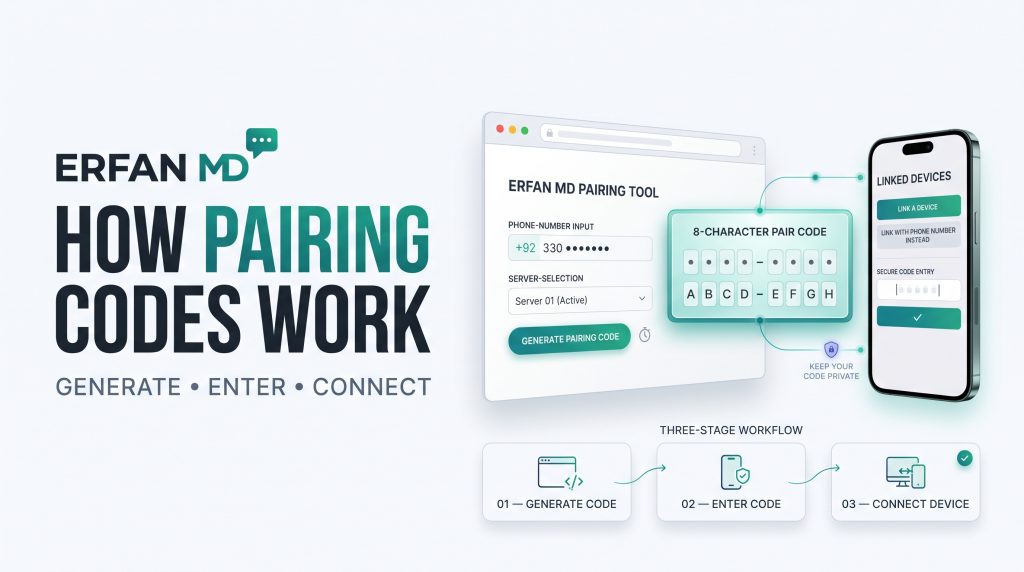
- Complete the Erfan MD WhatsApp pairing process using the pairing tool.
- Wait for the bot’s connected confirmation message.
- Look for the displayed command prefix, which is “.”.
- Check the mode shown in the confirmation message. The documented example displays “public”.
- Enter .menu in the bot conversation to list the available features.
- Do not assume that the menu confirms permission to use every displayed command.
For further product information, see the Erfan MD explanation of how the bot works and the documented Erfan MD features.
What to do when the menu and actual behaviour differ
A difference between the displayed menu and the bot’s actual response should not automatically be treated as a public-mode failure. The website, pairing tool and connected bot are separate components, and command availability may involve additional permissions that are not described in the menu.
Record the exact command, the mode displayed in the confirmation message and whether the interaction involved the owner or another user. This information gives support a clearer description of the issue.
Do not share your pairing code, verification code or private account details while reporting a problem. Contact Erfan MD through company@explorefrag.com for product-related clarification.
For other common product questions, visit the Erfan MD FAQ.
Common Misunderstandings About Public Mode
- Public means every command is available: Public mode describes who can receive replies, not a confirmed permission for every command.
- Group administrators automatically control the bot: No separate group-administrator permission model has been documented.
- The command menu guarantees access: The .menu command lists features, but listing a feature does not establish its access conditions.
- Private mode disables the bot completely: The documented definition is that private mode replies only to the owner.
- Public mode gives the project access to private chats: The documented privacy statement says Erfan MD has no access to users’ WhatsApp chats or data.
What Public Mode Does Not Guarantee
Public mode does not guarantee unrestricted command access, identical permissions across user roles, additional group-administrator privileges or unlimited bot usage. The exact permission requirements for individual commands must be established separately.
Erfan MD is an independent WhatsApp bot project. It is not owned, operated, endorsed or certified by WhatsApp or Meta. Account bans are decided by WhatsApp or Meta, and Erfan MD cannot guarantee a ban-free experience.
Users should only connect accounts they own or are authorised to link, keep pairing codes private and use bot features responsibly.
Frequently Asked Questions
What does public mode mean in Erfan MD?
Public mode means that Erfan MD can reply to anyone rather than restricting replies to the owner. The mode label is displayed in the documented connection confirmation message after successful pairing.
Can everyone use every command in public mode?
That has not been established by the available product documentation. Public mode confirms reply access, but it does not provide a complete list of command permissions or owner-only restrictions.
What is the difference between public and private mode?
Public mode allows replies to anyone, while private mode limits replies to the owner. These definitions describe the bot’s response access rather than a complete command-permission system.
Can a group administrator use owner-only commands?
The available documentation does not confirm that group administrators receive owner permissions. Their command access and any additional administrative privileges need verification against the live bot.
How can I check whether Erfan MD is in public mode?
After pairing, examine the bot’s connection confirmation message. The documented confirmation displays the prefix “.” and the mode “public”. You can enter .menu to view the available features.
Does public mode mean Erfan MD can read my WhatsApp chats?
No such access is described in the Erfan MD product documentation. Its stated privacy boundary is that it has no access to users’ WhatsApp chats or data and operates a server linked to the user’s WhatsApp account.
About This Guide
Written by Erfan Ahmed, founder of Erfan MD.
Last updated: [OWNER TO CONFIRM: date of live public/private mode and command-permission verification]. Prepared from Erfan MD’s product documentation and documented pairing information.
For product-related questions, contact company@explorefrag.com.
What Can Change
The displayed mode, command menu, individual command permissions, bot version and pairing interface may change. The article should be reviewed whenever the live mode setting, permission model or command behaviour is updated.


1 comment