WhatsApp Bot for Groups: Erfan MD Admin Permissions & Management
By Erfan Ahmed | Updated: 23 November 2026.
A WhatsApp bot for groups can support polls, greetings, link-related controls, tagging, and other group tasks through commands available in its menu. Administrative actions require both the person sending the command and the bot account to have WhatsApp group-admin status. Erfan MD is an independent third-party project, separate from WhatsApp and Meta.
- Use
.menuto find the available group command categories and their displayed instructions. - For administrative actions, check that both the sender and the bot account are group admins.
- Most group commands require the bot account to hold WhatsApp group-admin status.
- Verify the exact role-management command and its syntax before promoting or demoting anyone.
- Test changes in a consented group before enabling them in an active community.
Verified Erfan MD group-management capabilities
Erfan MD provides commands for several WhatsApp group activities, including polls, greetings, link-related functions, and tagging. Its published command examples include .poll, .welcome, .goodbye, .link, and .tagall. Use the live command menu to identify available options and check their instructions before changing group settings.
Safe governance, polls, greetings, and link-protection overview
Group management covers more than removing disruptive participants. A useful setup helps members understand group activity, gives administrators control over community settings, and makes routine interactions easier to manage.
These verified command examples provide starting points:
| Group task | Verified command | Practical use |
|---|---|---|
| Polls | .poll | Access the bot’s poll command for group participation. |
| Welcome messages | .welcome | Access the welcome-message function for a group. |
| Goodbye messages | .goodbye | Access the goodbye-message function for a group. |
| Group links | .link | Access the bot’s link-related command. |
| Member tagging | .tagall | Access a group-tagging command when a group-wide mention is appropriate. |
These command names identify available functions; they do not establish that every command has identical permissions or behavior. Check the response and instructions for each command in the target group.
For a focused explanation of link-related moderation, read the Erfan MD anti-link group setup guide. The group welcome and goodbye guide covers the greeting-related workflow.
What Erfan MD does not establish about group automation
A command name alone is not proof that the bot performs every form of moderation. For example, .link is a verified command example, but its name alone does not establish that it automatically blocks every shared link. Likewise, do not assume that a tagging command provides automated spam prevention or raid protection.
Use the exact behavior described by the bot’s response. Avoid treating an available command as permission to automate bulk removals, repeated mentions, unsolicited messages, or disruptive activity.
Admin permission architecture: member, group admin, and bot owner
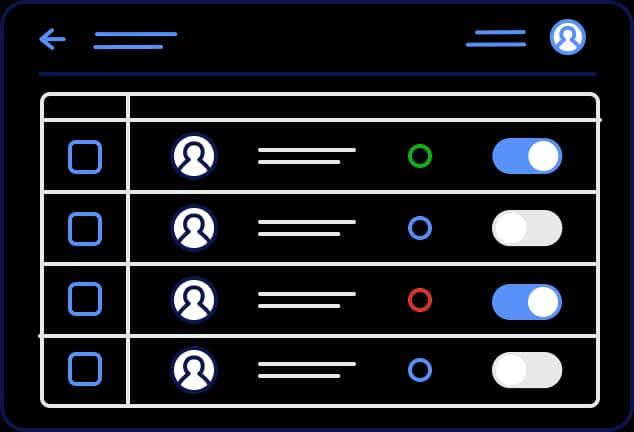
WhatsApp group-admin status and ownership of the bot account are separate roles. A person may control the bot’s settings without having administrator privileges in a particular group. Administrative group actions require the sender and the bot account to hold group-admin status, while other commands may follow their own instructions.
Why WhatsApp group-admin status is separate from bot-owner status
Think of the three roles as separate permission layers:
- Ordinary group member: participates in the group but does not hold WhatsApp group-admin privileges.
- Group admin: has administrator status in that particular WhatsApp group. Administrative commands require the person sending them to hold this status.
- Bot owner: controls the bot account and its settings. Bot ownership does not automatically make that account a group admin.
The bot account must also have the required group permissions. The published product guidance states that most group commands require the bot account to hold WhatsApp group-admin status. Check the target group’s participant list rather than assuming that a successful connection gives the bot those privileges.
Mode also affects who receives replies. In public mode, the bot replies to anyone; in private mode, it replies only to the account owner. A group participant who is not the owner should not expect a response from the bot in private mode.
For a closer look at the difference between public and private access, use the Erfan MD public-mode and access guide.
Group Command Role-Permission Matrix
Use this matrix to decide what to check before running a group command. It distinguishes verified command examples from permissions that must be checked against the live command instructions. The bot generally needs group-admin status for group commands, and administrative actions require both the sender and the bot account to be group admins.
| Command category | Verified command | Ordinary member allowed? | Group admin allowed? | Bot must be group admin? | Live test status |
|---|---|---|---|---|---|
| Polls | .poll | Check the command instructions | Check the command instructions | Most group commands require it; verify this command | Verify in a consented test group |
| Welcome messages | .welcome | Check the command instructions | Check the command instructions | Most group commands require it; verify this command | Verify in a consented test group |
| Goodbye messages | .goodbye | Check the command instructions | Check the command instructions | Most group commands require it; verify this command | Verify in a consented test group |
| Link-related functions | .link | Check the command instructions | Check the command instructions | Most group commands require it; verify this command | Verify in a consented test group |
| Member tagging | .tagall | Check the command instructions | Check the command instructions | Most group commands require it; verify this command | Verify in a consented test group |
| Promote or demote members | Use the exact role-management entry displayed by .menu | No for administrative role changes | Yes, subject to the bot’s permissions | Yes, for administrative actions | Verify the exact alias and result in a consented test group |
The matrix does not treat untested command behavior as a successful test. The exact permissions for polls, greetings, links, and tagging should come from their live command instructions. For role changes, verify the displayed alias and argument order before using it with real participants.
Promote, demote, and manage member roles responsibly
Promoting and demoting members changes the administrative structure of a WhatsApp group, so treat these actions differently from ordinary commands such as checking a menu. Before using a role-management function, identify its exact entry in .menu, confirm both required admin roles, and test the action with consenting participants.
How to verify role-change commands in a consented test group
Use this workflow to check role-management behavior without guessing command syntax:
- Open the command menu. Send
.menuto the bot and inspect the group-management or admin category. This identifies the command names and instructions presented by the live service. - Record the displayed syntax. Copy the exact role-change command and its argument order from the bot’s response. This prevents errors caused by guessing aliases or using a different command format.
- Check both admin roles. Confirm that the person sending the command and the bot account are WhatsApp group admins. This checks the permissions required for administrative actions.
- Use a controlled test participant. Obtain consent from the participant and perform one role change in the test group. This limits the effect of an incorrect command.
- Check the participant list. Confirm whether WhatsApp reflects the intended role change. This verifies the group outcome rather than relying only on the bot’s reply.
- Restore the original role when appropriate. Reverse the test change with the displayed command or WhatsApp group controls. This leaves the test group in its intended state.
- Record the result. Save the command spelling, sender role, bot role, response, and observed result. This creates a reproducible permission record for the publishing team.
Do not assume that an English action word is the bot’s command alias. The menu response is the place to obtain exact command spelling and syntax.
Responsible governance: notice, consent, and avoiding disruptive actions
Group administrators should explain meaningful changes before applying them. Tell members why a role change is necessary, keep decisions relevant to the group’s stated purpose, and use the smallest action that resolves the issue.
Use .tagall sparingly and only when a group-wide mention is appropriate. Repeated tagging, unwanted promotions, arbitrary demotions, and mass-removal behavior can disrupt a community. A bot command does not replace an administrator’s responsibility to consider member consent and group rules.
Fixing group commands that fail to execute
A failed group command can result from the wrong chat context, missing administrator privileges, a changed prefix, or the bot’s reply mode. Check these conditions separately before repeating an action. A problem with the pairing form, website, or remote bot service also does not automatically mean that every part of Erfan MD is unavailable.
Running group-only commands inside a private DM
A group-management command needs the relevant group context. If you send a command in a private conversation with the bot, it cannot serve as a substitute for issuing a group action in the target group.
Open the intended WhatsApp group and send the relevant command there. Use .menu to review available categories, then follow the instructions for the particular command.
Missing bot admin rights or restricted group settings
Check the bot account’s role in the target group’s participant list. If the action requires group-admin status, ask an existing group administrator to assign the required role through WhatsApp’s group controls before trying the command again.
Also check whether the group restricts changes to administrators. A command that attempts an administrative action cannot bypass WhatsApp’s group permissions. For background on unsupported third-party apps and account risks, read the WhatsApp Help Center guidance on unsupported third-party apps.
Common group-command mistakes
Check the command, the sender’s role, and the bot’s role before repeating an unsuccessful action. The following checks address common setup errors without assuming that every command uses the same permission rules.
| Mistake | Why it matters | What to do |
|---|---|---|
| Sending a group command in a private DM | The command may need the target group’s context. | Run the group command inside the intended WhatsApp group. |
| Checking only the sender’s admin status | Administrative actions also require the bot account to have group-admin status. | Check both accounts in the group participant list. |
| Assuming every command has the same permissions | Command categories can have different requirements. | Read the live instructions for each command. |
| Guessing a promote or demote alias | An incorrect command or argument order may fail or trigger an unintended action. | Copy the exact role-management syntax shown by .menu. |
| Ignoring private mode | Private mode replies only to the bot account owner. | Check whether the bot is in public or private mode. |
| Repeating a disruptive command | Repeated actions can confuse or disturb group members. | Stop, review the response, and verify the cause before trying again. |
Check the prefix and bot mode
The connection confirmation message shows the bot’s prefix and mode. The supplied default example uses . as the prefix and public as the mode. The bot also provides .prefix, .botname, and .mode for core settings.
If someone has changed the prefix, do not keep sending commands with the old prefix. Check the bot’s current setting and use the active prefix. If the bot is in private mode, remember that replies are restricted to the account owner.
The Erfan MD command-list guide explains how to explore the available command categories. For setup problems, follow the WhatsApp bot connection instructions.
Limits and what can change
This guide covers the Erfan MD group functions and command examples described by its product information. It does not establish that every group supports every command or that every command has identical permissions. Results can depend on WhatsApp group settings, the bot’s role, the active session, and remote server availability.
Erfan MD runs the remote server to which the linked WhatsApp account connects. During an active session, that server handles the messages needed to read and respond to bot commands. Consult the Erfan MD Privacy Policy for details about session and server data processing or logging.
The pairing flow does not ask for a WhatsApp password. You can unlink the account through WhatsApp’s Linked Devices settings. Because a linked device can receive messages on the account, link only a service you trust and never share pairing or verification codes.
WhatsApp controls account restrictions and the rules governing its service. Changes to WhatsApp, group permissions, or remote bot infrastructure may affect how a command works. Review the live menu and the relevant WhatsApp guidance before relying on a workflow in an active group.
Frequently asked questions
These answers cover the main decisions involved in using a WhatsApp bot in a group chat. Check the live command menu for exact syntax, and check the target group’s participant list for permissions before running administrative actions or changing how the bot responds to members.
How do I use Erfan MD inside a WhatsApp group?
Open the group where you want to use the bot, check that the bot account has the required group permissions, and send a relevant command in that group. Use .menu to display command categories and follow the instructions for the command you choose.
Does Erfan MD have to be a group admin for group commands to work?
Most Erfan MD group commands require the bot account to hold WhatsApp group-admin status. Administrative actions require both the sender and the bot account to be group admins. Check the instructions for the specific command before using it.
Can ordinary group members run promote, demote, or kick commands?
Administrative role changes require the person sending the command to be a WhatsApp group admin, and the bot account must also have group-admin status. Check .menu for the exact role-management command and its syntax instead of guessing an alias.
Which group moderation features are safe to enable in active communities?
Use features that serve a clear group purpose, such as appropriate greetings, polls, and carefully managed link-related controls. Explain changes to members, avoid unnecessary group-wide tagging, and test administrative actions in a consented group before using them with a wider community.
Why do Erfan MD group commands work in one group but fail in another?
Groups can have different administrators and permission settings, and the bot may not hold the same role in each group. Check the sender’s status, the bot’s status, the command syntax, and the bot’s mode separately in the group where the command fails.
Is Erfan MD part of WhatsApp or Meta?
No. Erfan MD is an independent third-party WhatsApp bot project and is separate from WhatsApp and Meta. Review the project’s Privacy Policy and WhatsApp’s guidance on unsupported third-party apps before linking an account.
Next steps
Start with the command menu and the permission checks, then configure only the group functions that match your community’s needs. Use the related guides to complete setup, understand individual commands, and review account-safety considerations before relying on the bot in an active group.
- Review Erfan MD features and command categories to identify relevant group functions.
- Open the command menu and command-list guide before using unfamiliar syntax.
- Read the anti-link group setup instructions before changing link-related controls.
- Review the welcome and goodbye message instructions before configuring greetings.
- Check the Erfan MD frequently asked questions if a connection or command issue remains.
About this guide
Written by Erfan Ahmed, founder of Erfan MD, with a software development background and based in Pakistan. For support, contact company@explorefrag.com. This guide was updated on 23 November 2026. Check the live command menu and group permissions before applying administrative instructions.