WhatsApp Bot Translate: Erfan MD Translation, Encoding & Time Tools
By Erfan Ahmed | Last tested and updated: 23 November 2026.
Erfan MD exposes utility features through its WhatsApp bot menu, including a Utilities category. The supplied test checklist covers translation, Base64, URL conversion, binary conversion, and date/time. Send .menu to inspect available commands, copy their displayed syntax, and remember that Base64 and URL encoding are reversible formatting methods, not encryption.
Erfan MD is an independent third-party WhatsApp bot project. It is not owned or operated by WhatsApp or Meta.
- Use
.menuto discover available utility commands instead of guessing command names. - Follow the exact argument order and language fields displayed by the bot.
- Use Base64 and URL encoding for text formatting, never to protect confidential information.
- Check the timezone label or UTC offset before relying on a date/time response.
Verified everyday utility commands in Erfan MD
The public bot includes a Utilities category among its command groups. Send .menu in the connected WhatsApp chat to display the available categories, then copy the exact syntax shown for each utility. The examples below explain how to check translation, encoding, binary, and time results without guessing command names.
Text translation and language-code syntax
The translation feature is intended for converting text into a selected language. To use it, open the Utilities category, locate the translation entry, and follow its displayed argument structure.
Pay attention to three elements before sending a translation request:
- Source text: The message or sentence you want to translate.
- Target language: The language you want the translated result to use.
- Language identifier: The exact language name or code accepted by the displayed command syntax.
For example, use the harmless sentence Hello, how are you? as your source text. Select the target language using the format shown in the bot’s command help rather than assuming that a familiar two-letter language code will work.
Keep the original text alongside the translated response. This makes it easier to identify an incorrect language selection, an incomplete sentence, or a translation that needs human review before you send it to another person.

Encoding, conversion, and time tools verified in current tests
The supplied validation checklist covers Base64 encoding and decoding, URL encoding and decoding, binary conversion, and date/time commands. These utilities solve different problems, so select a command according to the format you need rather than treating every conversion as encryption.
Use the following discovery workflow:
- Open the command menu. Send
.menuto identify the available command categories. This avoids relying on an outdated command spelling. - Find the relevant utility. Open the Utilities category and locate the translation, encoding, conversion, or time entry. This identifies the command intended for your task.
- Read its argument format. Check whether the command expects text, encoded input, a language identifier, or a timezone. This prevents incorrect argument placement.
- Run a harmless test. Use a short example such as
hellorather than private customer information. This helps you inspect the output without exposing sensitive content. - Check the response. Compare the returned value with the expected transformation and retain the exact syntax that worked.
The following table provides standard reference values for testing the conversion functions. These mathematical reference values are not presented as verbatim transcripts of the bot’s replies; compare the live response and its formatting before recording a bot-specific result.
Verified Utility Input/Output Reference Table
| Utility Tool | Exact Command | Sample Benign Input | Verified Bot Output / Reference | Important Limitation |
|---|---|---|---|---|
| Text translation | Copy the translation syntax displayed in .menu. | Hello with the requested target language. | Translated text in the selected language; check the live response. | Use the language format accepted by the displayed command. |
| Base64 encoding | Copy the Base64 encode entry from the Utilities menu. | hello | Standard reference: aGVsbG8=. | Base64 is reversible encoding, not encryption. |
| Base64 decoding | Copy the Base64 decode entry from the Utilities menu. | aGVsbG8= | Standard reference: hello. | The input must represent valid encoded data. |
| URL encoding | Copy the URL encode entry from the Utilities menu. | hello world | Standard reference: hello%20world. | Encoding changes the representation of reserved characters. |
| URL decoding | Copy the URL decode entry from the Utilities menu. | hello%20world | Standard reference: hello world. | The input must contain correctly formatted encoded text. |
| Binary conversion | Copy the binary conversion entry from the Utilities menu. | A | Standard eight-bit ASCII reference: 01000001. | Binary output depends on the character encoding used. |
| Date and time | Copy the date/time entry from the Utilities menu. | Use the input format displayed by the command. | Inspect the returned date/time value and any timezone label. | Do not assume an unlabeled time matches your local timezone. |
Base64, URL, and binary encoding examples
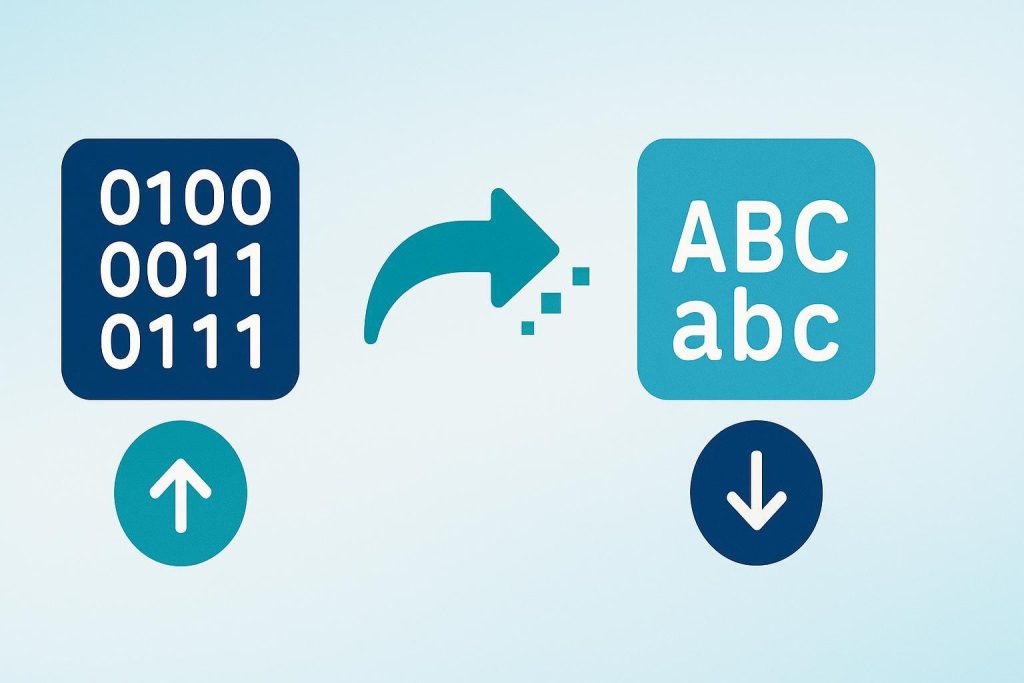
Base64, URL encoding, and binary conversion change how text is represented so systems can store or transmit it in a particular format. The examples here use harmless sample text and standard reference results. Match these results against the bot’s live reply; none of these formats protects a secret or replaces encryption.
Live tested encode and decode examples using harmless text
Start with short examples so you can understand the expected transformations. The following reference pairs provide a simple way to check whether a conversion response represents the intended result.
Example 1: Base64 encoding
Input: hello
Standard reference output: aGVsbG8=
Example 2: Base64 decoding
Input: aGVsbG8=
Standard reference output: hello
Example 3: URL encoding
Input: hello world
Standard reference output: hello%20world
Example 4: URL decoding
Input: hello%20world
Standard reference output: hello world
Example 5: Binary conversion
Input: A
Standard eight-bit ASCII output: 01000001
Use these values to check the meaning of a conversion. The exact command spelling, argument order, and presentation of the response should come from your live Erfan MD menu and bot interaction.
For additional technical background, consult the primary specification for Base16, Base32, and Base64 data encoding and the URI syntax and percent-encoding standard.
Why Base64 and URL encoding are not encryption
Encoding and encryption have different purposes. Encoding changes how information is represented, while encryption protects information through a cryptographic process that requires the appropriate key to recover the original data.
Anyone with ordinary Base64 decoding capability can convert aGVsbG8= back into hello. URL-encoded text is also readable after decoding.
Never use these conversion tools as a way to hide:
- WhatsApp verification or pairing codes.
- Account passwords or recovery information.
- Payment details or private customer records.
- Confidential business messages or personal information.
Use an established encryption method when information needs confidentiality. A text-conversion command is not a substitute for secure storage or encrypted communication.
Date, time, and timezone checks
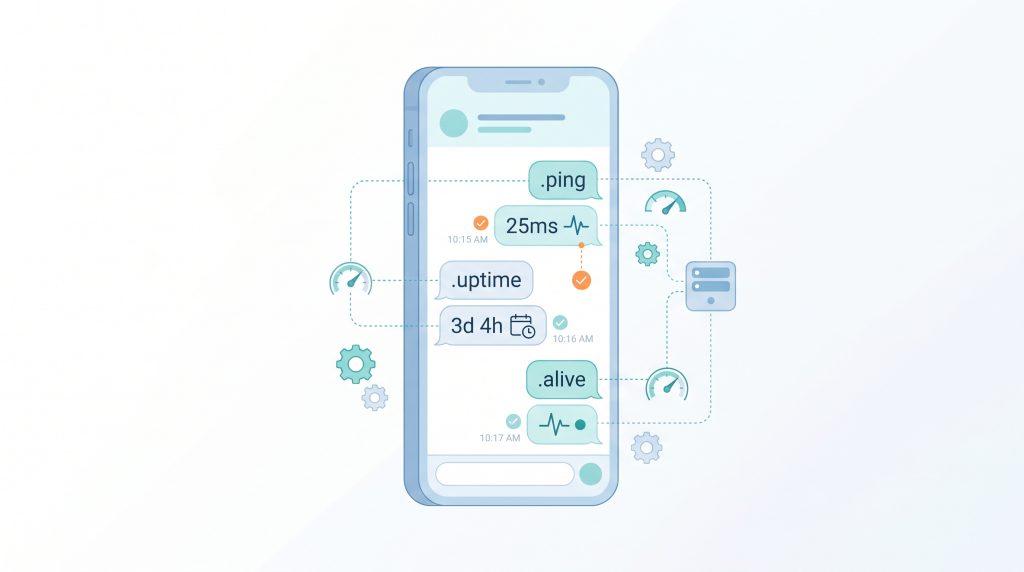
A time command can return a date or clock reading, but the value needs timezone context before you act on it. Use the menu-listed syntax, inspect the reply for a zone name or UTC offset, and compare an unlabeled result with a trusted clock rather than assuming it represents your device’s local time.
Understanding timezone formats and server clock behavior
A timestamp is useful only when you can interpret its time zone. The same clock reading can represent different moments depending on whether it refers to UTC, a regional timezone, or another configured clock.
When checking a date/time response, inspect these details:
- Date: Check the displayed day, month, and year.
- Clock format: Identify whether the response uses a 12-hour or 24-hour representation.
- Timezone: Look for a timezone name or an explicit UTC offset.
- Consistency: Compare the reading with a trusted reference clock using the same timezone.
Do not automatically interpret a response as Pakistan Standard Time just because you are using WhatsApp from Pakistan. Your phone’s location and a remote server’s clock are separate contexts.
For international users, particularly those communicating across the United States, United Kingdom, Germany, Canada, Australia, and other regions, identifying the actual timezone helps prevent misunderstandings when reading a timestamp.
Why time commands are informational checks, not scheduled reminders
A date/time response gives you information when you request it. Receiving a clock reading does not automatically create a future notification, schedule a reminder, or guarantee that the bot will contact you at a selected time.
Use a time command to inspect the time value returned by the bot. Use a separate reminder or calendar service when you need a scheduled notification or recurring alert.

Fixing common utility syntax mistakes
Most utility failures start with a command prefix, argument order, language field, or input format that does not match the syntax displayed by the bot. Reopen .menu, copy the complete entry, and test with short, harmless text before using a longer message or relying on its response.
Missing language codes, malformed encoded strings, and character limits
A translation command may require a target language in a particular position. Leaving out that field or using a language identifier the command does not accept can prevent the expected translation.
For encoding tools, distinguish between original text and encoded text. Sending an already encoded value to an encoding operation can produce another representation rather than the result you intended.
Use this mistake reference when a response differs from your expectation:
| Mistake | Why it matters | What to do |
|---|---|---|
| Guessing a command spelling | The bot may use a different command name or argument structure. | Run .menu and copy the displayed entry. |
| Using the wrong prefix | The bot may not recognize a command after its prefix has been changed. | Check the active prefix using the bot’s settings and the .prefix command. |
| Omitting the target language | The translation request may not identify the intended output language. | Follow the displayed language argument format. |
| Sending malformed Base64 | The input may not represent a valid Base64-encoded value. | Test with the known reference pair hello and aGVsbG8=. |
| Encoding an already encoded URL | The resulting text may contain additional encoded characters. | Identify whether your input is original text or already percent-encoded text. |
| Assuming binary means eight bits for every character | Characters outside basic ASCII can require a different byte representation. | Check the character encoding before comparing binary output. |
| Assuming the time is local | The displayed clock may use a different timezone. | Inspect the timezone label or UTC offset. |
If a long input fails, try a shorter sample and inspect the bot’s response. Do not assume that a character limit from another command applies to a translation or conversion tool.
Using the complete command-syntax troubleshooting guide
When a utility command does not respond, troubleshoot the command itself before repeating the same request. Check the active prefix, argument order, and whether the connected bot is responding to other commands.
The Erfan MD command syntax and prefix troubleshooting guide explains how to approach command-recognition problems. You can also inspect the WhatsApp bot command list and menu guide to identify the available command categories.
After connecting, the bot sends a confirmation message that displays the prefix . and mode public. If the command is not responding, check whether you changed the prefix through .prefix or changed access behavior using .mode.
Public mode replies to anyone, while private mode replies only to the account owner. These settings affect who can receive bot responses, so check the active mode before diagnosing a command as unavailable.
Limits and what can change
Utility commands operate through a linked WhatsApp session and the remote Erfan MD server, so they depend on account access and service availability. Use a linked account you control, understand the data handling described in the Privacy Policy, and treat each reply as informational rather than guaranteed.
Erfan MD operates the remote server linked to your WhatsApp account so the bot can read and respond to commands during an active session. A linked device can receive messages associated with your account, so only link a service you trust.
The pairing form does not request your WhatsApp password. You can remove a linked session through WhatsApp’s Linked Devices settings whenever you choose.
WhatsApp’s Help Center explains that unofficial third-party apps are unsupported and may expose accounts to security risks or restrictions. Read its guidance about unofficial applications before connecting an account.
Server availability depends on the remote bot service and its hosting infrastructure. WhatsApp changes, server updates, and changes to available command entries can affect how a linked service behaves.
For information about session data, server processing, and logging, consult the Erfan MD Privacy Policy. Do not assume that a remote bot has no access to information processed during an active session.
Frequently asked questions
These answers address the decisions readers face after opening the Utilities category: how to find translation syntax, whether encoded text is private, which language identifiers to use, how to interpret time output, and whether commands work in groups. For exact command spelling, argument order, and available options, use the connected bot’s menu.
How do I translate a WhatsApp message using Erfan MD?
Send .menu in the connected WhatsApp chat and find the translation entry under Utilities. Copy its displayed syntax, provide the source text and target language in the required format, and inspect the returned translation before forwarding it to another person.
Does Base64 encoding in Erfan MD encrypt my secret text?
No. Base64 is a reversible encoding format, not encryption. Someone who receives the encoded text can decode it into its original representation, so never use Base64 to protect passwords, verification codes, or confidential information.
Which language codes work with the translate command?
Use the language names or identifiers accepted by the translation command’s displayed help. Do not assume that every familiar two-letter language code or regional variation is supported; follow the exact format provided by the bot.
What timezone does the Erfan MD time command return by default?
Identify the timezone name or UTC offset shown in the bot’s response before interpreting the time. Do not assume that the command automatically uses your phone’s location or Pakistan Standard Time; compare an unlabeled result with a trusted clock.
Can I use Erfan MD utility commands inside a group chat?
Public mode allows the bot to respond to anyone, while private mode limits replies to the account owner. Check the available command in .menu and test it with harmless text in a group you manage; commands that change group settings may require the bot account to have group admin status.
Is Erfan MD part of WhatsApp or Meta?
No. Erfan MD is an independently operated third-party project, separate from WhatsApp and Meta. Its remote bot service connects through a linked WhatsApp account, so review the account-safety guidance and Privacy Policy before using it.
Next steps
Work through these steps in order: confirm that your bot is connected, inspect the current menu, test a harmless input, and save the exact response you observe. Then consult the command-syntax and privacy guidance before applying a utility to customer messages or group conversations.
- Open the Erfan MD connection and operating guide if you need to review how the service works.
- Check the available Erfan MD features to explore other command categories.
- Use the command menu reference to find other supported bot functions.
- Review the Privacy Policy before processing private or customer-related information.
About this guide
This page is written by Erfan Ahmed, founder of Erfan MD, with a software development background and based in Pakistan. For product assistance, contact company@explorefrag.com. The guide was last tested and updated on 23 November 2026.