Access Erfan MD Through Its Website
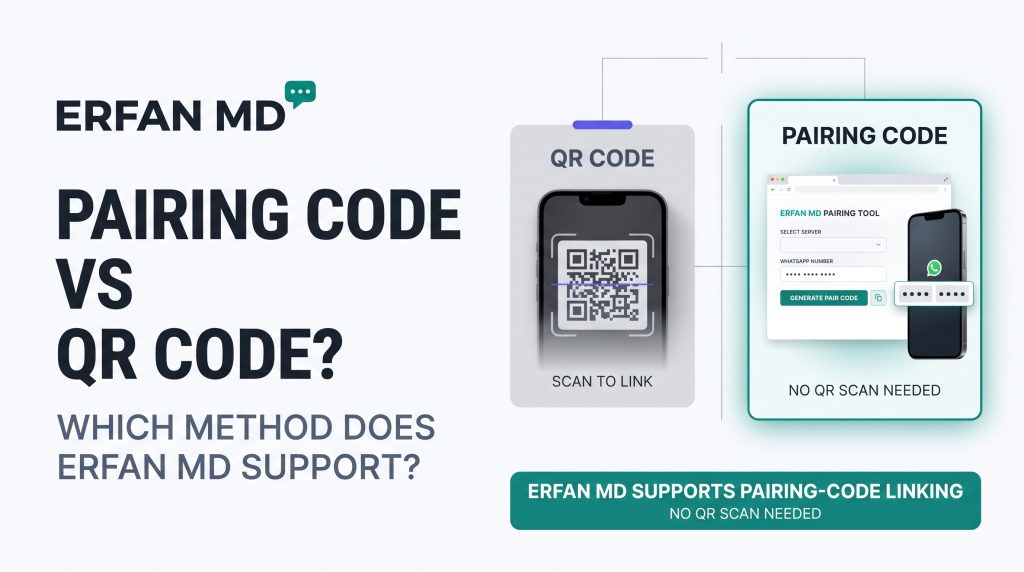
To access the Erfan MD WhatsApp bot, start with the project website at erfan-md.site. Erfan MD has a separate pairing tool that generates an eight-character code for linking a WhatsApp account, after which the bot responds to commands inside WhatsApp. The direct pairing-tool address, browser compatibility and official app availability still require confirmation.
How Users Access Erfan MD
Erfan MD is an independent WhatsApp bot project with three separate components: its website, its pairing tool and the bot itself. Each component has a different purpose. The website provides product information and guides, the pairing tool generates a connection code, and the bot handles commands inside WhatsApp after an account has been linked.
Understanding this separation helps users find the correct starting point. Visiting the website does not automatically connect a WhatsApp account, and opening WhatsApp does not replace the pairing process.
The Erfan MD website entry point
The Erfan MD project website is available at https://erfan-md.site/. This is the starting point for product information and the available setup documentation.
Users who are new to the project can first read the Erfan MD explanation of how the service works. This helps distinguish the website from the actual WhatsApp bot and its pairing process.
Before entering a phone number or connecting an account, make sure that you are accessing the intended Erfan MD domain. Do not rely on a search-result title or an unfamiliar page simply because it uses the Erfan MD name.
The exact direct URL and navigation path to the live pairing tool should be published here once confirmed.
Using the website on a browser or mobile device
A website and an installed application are different ways of delivering software. A website is accessed through a web address, while an Android application package, commonly called an APK, is an installation file for an Android device.
The available Erfan MD product documentation describes a website and a separate pairing dashboard. It does not provide verified browser-compatibility results for desktop browsers, mobile browsers or specific devices. Therefore, this guide does not promise that every screen or pairing function works identically across all browsers.
Before relying on a particular mobile or desktop setup, confirm the currently supported access method and follow the instructions displayed by the live service.
Website Tool Versus Installed App
One common source of confusion is the difference between an online bot service and an application that users download and install. They are not interchangeable. A web-based product can provide information or connection tools without requiring users to install a separate application, while an APK is a distinct Android installation package.
Understanding a web page and an APK
A web page is opened using its web address. An APK is an Android application package that can be installed on a compatible Android device. An APK download should therefore be treated differently from visiting the Erfan MD website.
The Erfan MD documentation describes a pairing tool that generates a code and a bot that operates through a linked WhatsApp account. The available information does not establish that users need to download a separate Android application to complete this documented process.
Do not assume that an APK offered by another website is an Erfan MD product. An installer carrying a familiar name is not proof that it was published or authorised by the project owner.
Does an official Erfan MD app exist?
The available product information does not confirm whether an official Erfan MD Android app or APK exists. It would therefore be inaccurate to claim either that an official APK is available or that no official APK exists without confirmation from the project owner.
[OWNER TO CONFIRM: State whether an official Erfan MD Android application or APK exists. If none exists, explicitly confirm that users should access the service through the website and pairing tool. If one exists, provide its verified official distribution link.]
Until this information is confirmed, avoid downloading modified APK files or installation packages from third-party websites. Use the published Erfan MD website and verified support channel instead of trusting an unfamiliar download page.
Use the Erfan MD Website Correctly
Check the exact erfan-md.site domain
When looking for the Erfan MD WhatsApp bot website, check the spelling of the domain carefully:
Pay attention to the complete address rather than only the words appearing in a website title, advertisement or search result. Lookalike domains can use similar brand names while directing visitors to unrelated services.
Also remember that Erfan MD is an independent WhatsApp bot project. It is not owned, operated, endorsed or certified by WhatsApp or Meta. The Erfan MD website should not be confused with an official WhatsApp website or an official WhatsApp application.
Avoid lookalike websites and unsolicited redirects
Be cautious when an unfamiliar page unexpectedly asks you to install software, enter account credentials or share a verification or pairing code. A third-party download page is not automatically an authorised Erfan MD distribution channel.
Only link a WhatsApp account that you own or are authorised to connect. Never share your pairing code or verification code with someone offering to complete the process for you.
Erfan MD has no access to users’ WhatsApp chats or data. It operates a server that the user’s WhatsApp account links to. However, users should still protect their own account credentials and regularly review their Linked Devices.
Where to Begin With Erfan MD
Find the pairing tool and setup guide
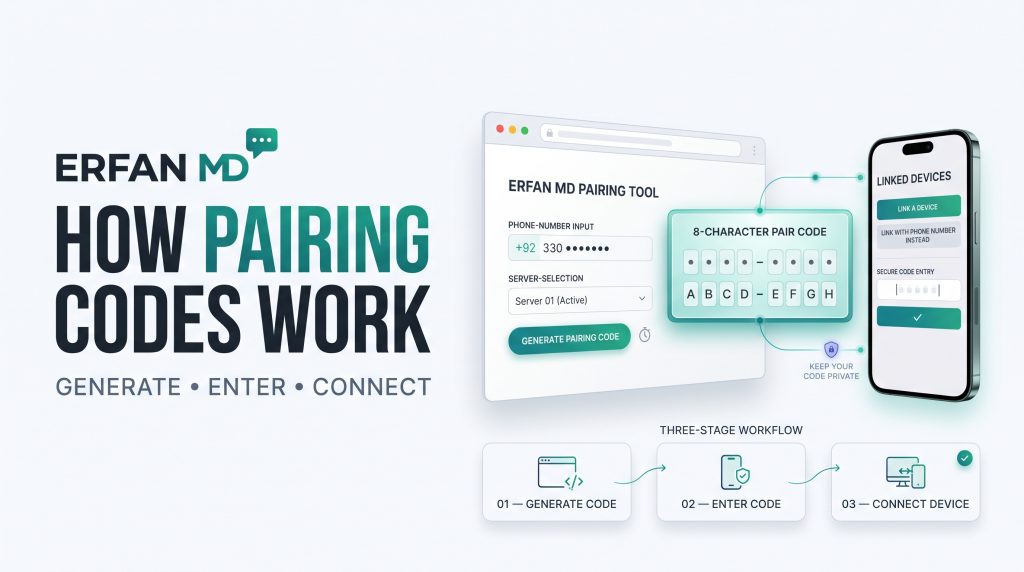
The pairing tool is the part of the Erfan MD project responsible for generating the connection code. According to the documented flow, users choose a server, enter their WhatsApp number with its country code and request a pairing code.
[OWNER TO CONFIRM: Insert the direct, currently working Erfan MD pairing-tool URL and the exact navigation path from the homepage.]
Once you have reached the confirmed pairing tool, the documented connection process is:
- Choose a server. The dashboard displays active slots against the applicable limit.
- Enter your WhatsApp phone number, including the country code.
- Select Generate Pair Code.
- Receive the eight-character pairing code. Observe the displayed cooldown timer and use the Copy Code button when available.
- Open WhatsApp and navigate to Linked Devices.
- Select Link a Device, followed by Link with phone number instead.
- Enter the pairing code in WhatsApp to complete the linking process.
- After successful linking, look for the bot’s connection confirmation message. It displays the command prefix . and the mode public.
- Enter .menu in the bot conversation to view the available commands and features.
For the written setup instructions, visit the Erfan MD WhatsApp bot connection guide. The frequently asked questions page is another useful starting point when you need product-related information.
Use the official support route
For questions about the correct pairing-tool address, official app availability or an unfamiliar access page, contact the Erfan MD support email:
Describe which page you are trying to access and what action you are attempting. For example, a question about an APK download is different from a question about generating a pairing code. Clear details help identify the relevant part of the service.
Common Mistakes When Accessing Erfan MD
- Confusing the website with the bot: The website provides information and guides. Bot commands are handled inside WhatsApp after linking.
- Using an unverified pairing link: Do not assume that every page advertising an Erfan MD pairing tool is associated with the project.
- Downloading an unfamiliar APK: A third-party installation package is not proof of an official Erfan MD application.
- Sharing the pairing code: Keep your account-linking code private and do not give it to another person.
- Expecting the website to complete pairing automatically: The documented process requires the pairing tool and the corresponding Linked Devices steps in WhatsApp.
- Assuming every connection issue is a website issue: The website, pairing tool and connected bot are separate components. Identify which component is causing the problem.
What Erfan MD Access Does Not Guarantee
Visiting the website does not automatically link a WhatsApp account or activate the bot. The documented pairing process must be completed separately.
The available documentation also does not establish universal browser compatibility, an official APK download, support for every device or unrestricted server availability. Users should not interpret a working website as proof of all these capabilities.
Erfan MD is an independent project and cannot guarantee that a WhatsApp account will remain free from restrictions or bans. Account enforcement decisions are made by WhatsApp or Meta, not by Erfan MD.
Keep your pairing information private, connect only authorised accounts and review your Linked Devices regularly. These precautions are relevant regardless of whether you begin with a website or an application.
Frequently Asked Questions
What is the official Erfan MD website?
The Erfan MD project website is https://erfan-md.site/. Use the complete domain rather than an unfamiliar lookalike page when looking for product information.
Can I access Erfan MD through a web browser?
The project provides a website and documents a separate pairing dashboard. However, browser-specific compatibility and the complete live delivery method have not been verified in the available documentation.
Does Erfan MD have an official Android APK?
The available product information does not confirm whether an official Android APK exists. Ask the project through its published support email rather than downloading an unverified installation package.
What does the Erfan MD pairing tool do?
It generates an eight-character code that is used to link a WhatsApp account through the Linked Devices process. After successful linking, the bot sends a confirmation message and users can enter .menu to view available features.
Can I use Erfan MD commands directly from the website?
The website and WhatsApp bot have separate roles. The website provides information and guides, while the bot responds to commands inside WhatsApp after the account has been linked.
Where can I get help if the pairing link does not work?
Contact Erfan MD at company@explorefrag.com. Include the page you are trying to access and explain whether the problem concerns the website, pairing tool or connected bot. Never send your pairing or verification code in a support request.
About This Guide
Written by Erfan Ahmed, founder of Erfan MD.
Last updated: [OWNER TO CONFIRM: date of verification of the live website, pairing-tool URL, browser compatibility and official app availability]. Prepared from Erfan MD’s product information and documented pairing instructions.
For product-related questions, contact company@explorefrag.com.
What Can Change
The pairing flow, server availability, displayed command menu, bot version and access instructions may change as the project is updated. The website navigation, pairing endpoint and supported application distribution method should be reviewed whenever the live service or product interface changes.