What Does MD Mean in Erfan MD? Understanding the WhatsApp MD Bot Name
In the Erfan MD WhatsApp bot name, “MD” is part of the project name, but its exact expansion has not been confirmed. It should not automatically be read as “multi-device.” Searches for “WhatsApp MD bot” or “MD WhatsApp bot” describe what someone is looking for; they do not prove a particular technical feature or protocol.
What Does MD Mean in a WhatsApp MD Bot Name?
Brand Names Do Not Always Describe Technical Architecture
A product name and its technical implementation are two different things. Letters used in a software brand may represent a personal naming choice, a project identity, an abbreviation or a specific concept chosen by its owner.
For this reason, the presence of MD in a WhatsApp bot name does not automatically establish what the letters represent. A reader should not assume that a bot supports a particular device configuration or connection method simply because its name contains those letters.
This distinction is especially useful when comparing different WhatsApp bot projects. Two services can use similar names while having completely different operators, features and technical arrangements.
Why Search Terminology Can Be Ambiguous
People search for products using different word combinations. Someone searching for “WhatsApp bot MD” may be trying to identify a brand, understand an abbreviation or find a particular automation service.
Similarly, the search phrase “MD WhatsApp bot meaning” does not establish a universally accepted definition. Search wording describes a person’s question, not necessarily the terminology adopted by the developer.
Therefore, search results should be treated as discovery information rather than proof of a product’s identity. The actual website and product description are more useful when identifying the service.
Erfan MD Naming and Product Wording
What MD Means in the Erfan MD Name
Erfan MD is the name of an independent WhatsApp bot project. The letters MD appear as part of its established project name.
The exact expansion or intended meaning of MD has not been confirmed as an official naming definition. [OWNER TO CONFIRM: The exact expansion or intended meaning of MD in the Erfan MD brand name.]
Until that meaning is confirmed, Erfan MD should be identified by its actual project name rather than an assumed expansion. This avoids presenting an interpretation as an established product fact.
Keep the Brand Name and Technical Capabilities Separate
Erfan MD has three separate components, and each has a different purpose.
| Component | Purpose | Role in the project |
|---|---|---|
| Erfan MD website | Information and guides | Explains the project and provides relevant information. |
| Pairing tool | Account connection | Generates a code used during the WhatsApp linking process. |
| WhatsApp bot | Command responses | Replies to commands inside WhatsApp. |
These components should not be treated as interchangeable. For example, the website explains the project, while the pairing tool handles code generation. The bot performs its own role by responding to commands after linking.
After connecting, the bot sends a confirmation message displaying the command prefix “.” and the mode “public”. The command .menu lists the available features.
For a broader explanation, visit How Erfan MD works.
What Multi-Device Means When Independently Verified
Understanding the Multi-Device Concept
In general software terminology, multi-device describes an experience designed to work across more than one device. It is a technical description of functionality, not a definition that can automatically be assigned to letters in a product name.
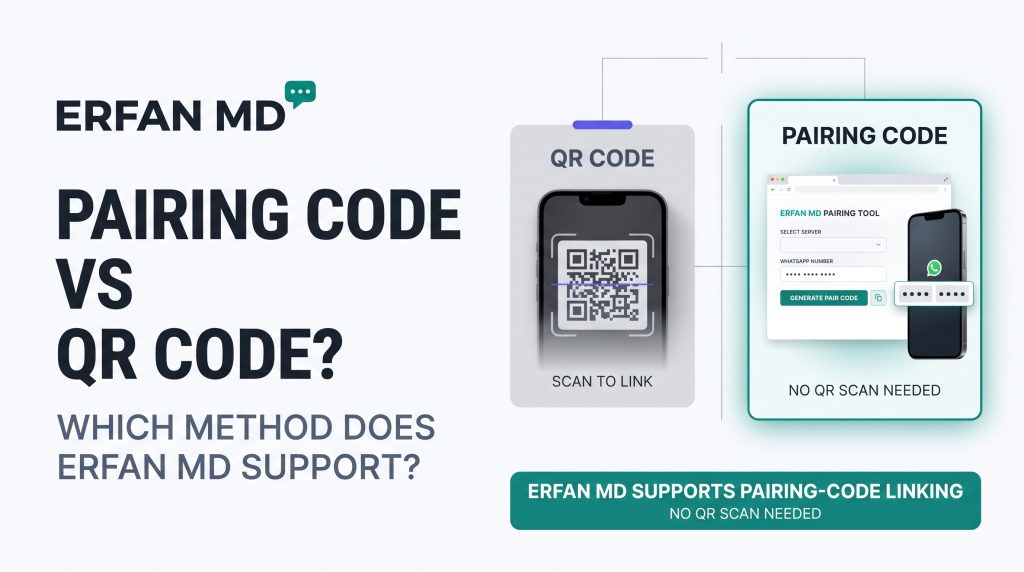
WhatsApp also provides a Linked Devices section. Erfan MD’s pairing instructions use this section as part of the account-linking process. However, that connection method does not establish that MD stands for multi-device.
The distinction matters because a product’s name and its supported functionality require separate confirmation. A reader should evaluate the actual instructions and available features rather than infer capabilities from an abbreviation.
Do Not Assume a Protocol Feature Without Evidence
Seeing the words Linked Devices during pairing does not prove that a project uses a particular multi-device protocol or implements every feature associated with multi-device software.
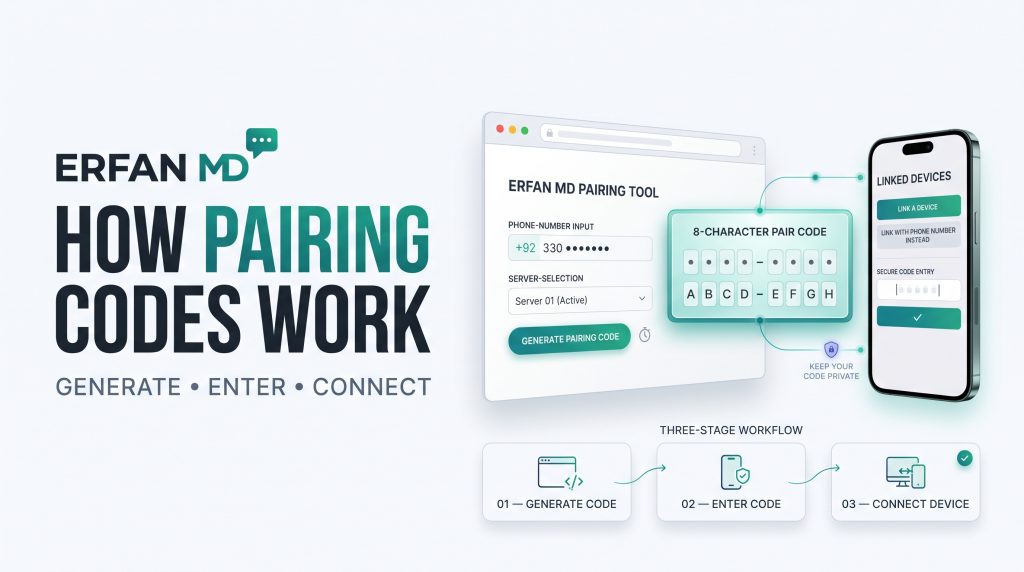
For Erfan MD, the confirmed pairing flow involves choosing a server, entering a WhatsApp number with its country code and generating an eight-character pairing code. The user then enters that code through WhatsApp’s Linked Devices process.
That is the confirmed connection process. It should not be expanded into additional technical claims based only on the letters MD.
How to Verify an Erfan MD Page
Check the Domain, Product Name and Current Instructions
When identifying a WhatsApp MD bot, start by checking the actual website rather than relying on a search-result title. Erfan MD’s website is erfan-md.site.
Use these steps to check whether the page describes the Erfan MD project:
- Check the domain: Start with erfan-md.site and examine the website address carefully.
- Check the product name: Look for the Erfan MD project name rather than assuming that another service with similar wording belongs to the same operator.
- Identify the component: Distinguish the information website, pairing tool and WhatsApp bot.
- Compare the pairing instructions: The documented process includes server selection, entering a number with its country code and selecting Generate Pair Code.
- Check the WhatsApp linking flow: The instructions use Linked Devices, Link a Device and Link with phone number instead.
- Check the bot confirmation: After linking, the confirmation message displays the “.” command prefix and public mode. The .menu command lists the features.
These details help distinguish the actual project from websites that merely use similar names.
Avoid Similarly Named Third-Party Bots
A third-party website may use the words Erfan MD, WhatsApp MD Bot or another similar expression. That wording alone does not establish an association with this project.
Do not enter your WhatsApp number or pairing code into an unrelated website. Only pair an account you own or are authorised to manage, keep pairing codes private and review the Linked Devices section regularly.
For general account-related guidance, consult the WhatsApp Help Center. You can also find common product questions on the Erfan MD FAQ page.
Common Mistakes When Interpreting MD
| Mistake | Why it matters | What to do |
|---|---|---|
| Assuming MD means multi-device | The abbreviation’s expansion has not been confirmed. | Use the Erfan MD project name without inventing an expansion. |
| Treating a search phrase as a product brand | Search terminology does not establish who operates a service. | Check the website and product identity. |
| Confusing Linked Devices with the meaning of MD | A pairing method does not establish the origin of a brand abbreviation. | Keep the connection instructions separate from naming claims. |
| Assuming similarly named bots are connected | Different projects can use similar terminology. | Verify the domain and project information. |
| Assuming an unlisted technical feature | A product name cannot prove an implementation detail. | Refer to confirmed product capabilities rather than assumptions. |
What Erfan MD Does Not Guarantee
Erfan MD is an independent WhatsApp bot project. It is not owned, operated, endorsed or certified by WhatsApp or Meta. Its project name does not represent an official relationship with either company.
Erfan MD has no access to users’ WhatsApp chats or data. It runs a server that the user’s WhatsApp links to. Users should still protect their pairing codes and manage their linked devices carefully.
Account bans and restrictions are decided by WhatsApp or Meta. Erfan MD cannot control those decisions or guarantee a ban-free experience.
Likewise, the letters MD should not be used to promise a technical feature, device limit, protocol or compatibility level that has not been established by the actual product documentation.
Frequently Asked Questions
What does MD mean in Erfan MD?
MD is part of the Erfan MD project name. Its exact expansion has not been confirmed, so it should not automatically be interpreted as multi-device or another technical expression.
Does MD mean multi-device in a WhatsApp bot?
Not necessarily. Multi-device is a general technical expression, but its presence cannot be inferred from the initials MD in a brand name. The actual project documentation must establish whether a specific feature is supported.
Is WhatsApp MD Bot another name for Erfan MD?
People may use WhatsApp MD Bot when searching for the Erfan MD project. However, the confirmed project name is Erfan MD, and a search variation should not be treated as proof of a separate product or an approved alternative brand name.
How can I identify the actual Erfan MD service?
Start with erfan-md.site and review its product information and connection instructions. The Erfan MD pairing flow uses a generated code entered through WhatsApp’s Linked Devices section.
Does Erfan MD have an official relationship with WhatsApp?
No. Erfan MD is an independent project and is not owned, operated, endorsed or certified by WhatsApp or Meta. Users should distinguish the independent project from the WhatsApp platform used during pairing.
About This Guide
Written by: Erfan Ahmed, founder of Erfan MD.
Last updated: 11 November 2026.
This guide was prepared from Erfan MD’s own pairing dashboard and product documentation.
What Can Change
Bot commands, the bot version and service availability may change. Product descriptions and technical explanations should be reviewed when the pairing flow, menu or relevant product interface is updated.