Is Erfan MD WhatsApp Bot Free? What Users Should Check
A search for “Erfan MD WhatsApp bot free” needs three separate answers: the price of the pairing tool, access to bot commands, and fees from outside providers. Erfan MD’s verified product information explains how the service works, but does not confirm whether access is free or paid, or whether charges apply to individual commands.
What “free” means on Erfan MD
Separate website, pairing and bot access
“Free” can describe one part of a service. Erfan MD has a website, a pairing tool and a bot that replies to WhatsApp commands. Reading the website does not establish pairing or bot prices.
The dashboard shows the selected server and active slots against a limit. This indicates capacity, not pricing or a usage quota. Pairing and bot prices are unconfirmed. [OWNER TO CONFIRM: current price for website access, pairing and bot use, including whether each is free or paid]. [OWNER TO CONFIRM: any user-level quotas, rate limits or full-server rules].
Is Erfan MD WhatsApp Bot Free at every stage?
A clear notice should list fees for pairing, bot access or usage, and who pays for outside services. Website access, code generation and command use need separate price answers. A working feature is not proof of a zero price today.
| Component | Verified role | Price status |
|---|---|---|
| Website | Information and guides | Not confirmed |
| Pairing tool | Generates a linking code | Not confirmed |
| Bot | Replies to WhatsApp commands | Not confirmed |
Are all commands included?
After linking, the confirmation shows prefix “.” and mode “public”. The .menu command lists features, but it is not a price schedule. A listed command does not prove universal access or included provider fees.
Public mode replies to anyone; private mode replies only to the owner. These settings do not explain command permissions or prices. [OWNER TO CONFIRM: any owner/admin restrictions and separate command charges].
A visible command and permission to use it are separate questions. Check its description, mode and named provider. “WhatsApp bot is free” does not prove every command is included; the owner should publish command fees separately. The menu is a feature list; any role or fee exception needs its own explanation before running that command.
| Item | What is confirmed | Not established |
|---|---|---|
.menu | Lists features | Price or universal access |
| Public mode | Replies to anyone | Mode-specific pricing |
| Private mode | Replies only to owner | Command-by-command permissions |
Possible costs outside Erfan MD
Mobile data and carrier charges
A device using WhatsApp or a web page uses an internet connection. Its provider may count traffic under the user’s mobile-data or broadband plan. Charges depend on that plan and usage, not on an Erfan MD price. No project-specific rate is confirmed.
Third-party API, AI and hosting fees
A command using an outside API or AI service can have separate billing terms. No current paid provider, affected command or payer is confirmed. [OWNER TO CONFIRM: providers, commands, fee basis and payer].
Erfan MD runs a server linked to the user’s WhatsApp, but that does not show who pays hosting costs. [OWNER TO CONFIRM: whether infrastructure costs are passed to users]. State user-facing fees instead of inferring them. Check the provider’s billing terms before starting an external service.
| Possible cost | What to check | Current position |
|---|---|---|
| Mobile data | Your carrier plan | Provider- and usage-dependent |
| API or AI provider | Provider, command and billing terms | No paid dependency confirmed |
| Hosting | Whether costs are passed to users | Not confirmed |
How to check current terms
Check the part of the service you plan to use rather than treating every Erfan MD component as one charge. The dashboard’s slot display describes availability, not billing; the command menu describes features, not their price. These checks separate those questions and flag details that need a direct answer from the project.
- Start at the Erfan MD website and open the relevant guide.
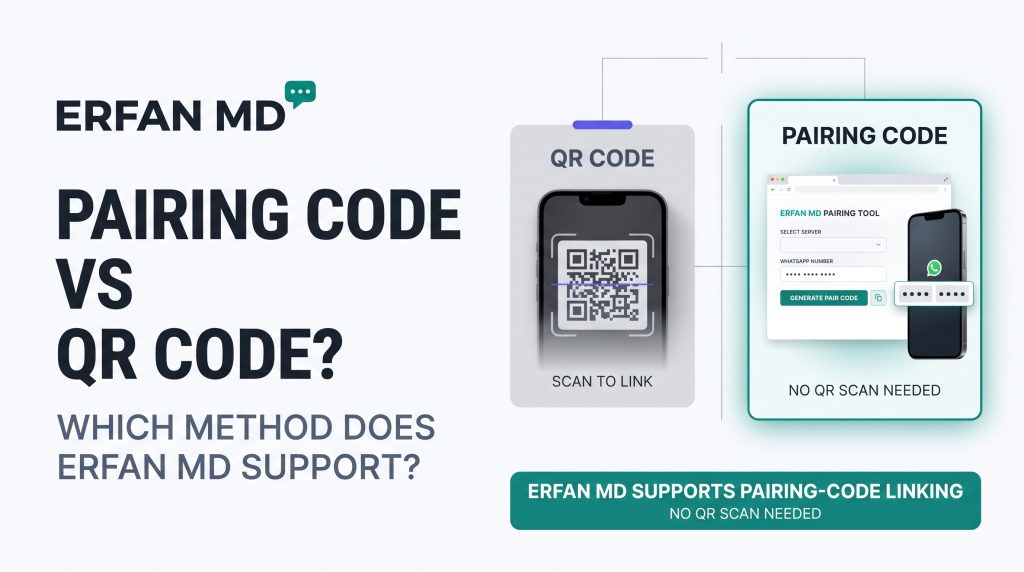
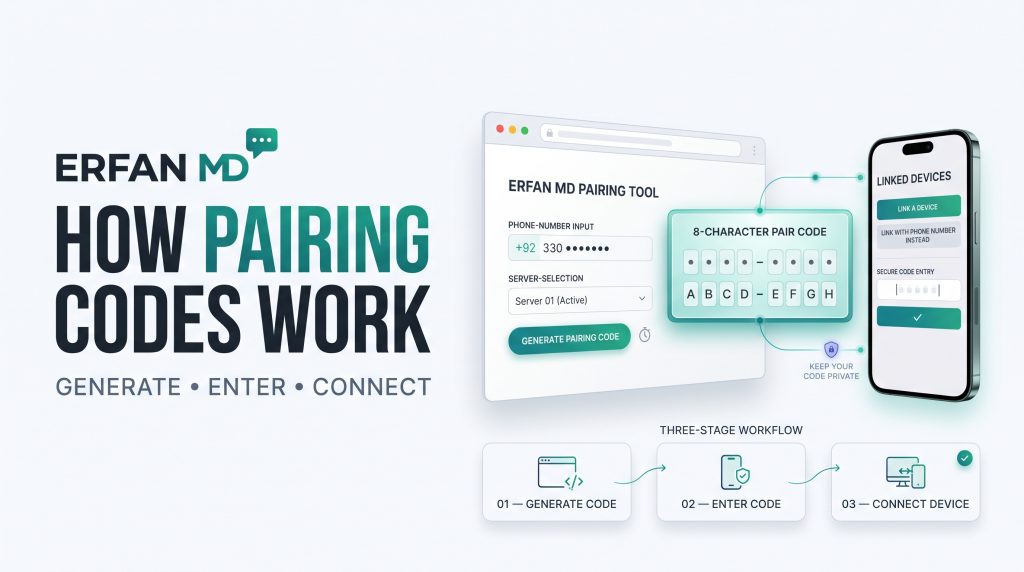
- Follow the bot connection guide. Choose a server, review active slots, enter your WhatsApp number with country code and tap “Generate Pair Code”. Use Copy Code for the eight-character code; a cooldown timer is displayed.
- Pair only an account you own. In WhatsApp, open Linked Devices, choose Link a Device, select “Link with phone number instead”, then enter the displayed code.
- After the connected confirmation appears, note the prefix and mode. Send
.menuto view the listed features. - Compare the features page and Erfan MD FAQ with the current fee notice. Ask company@explorefrag.com about any unpublished price, quota or provider charge.
A dedicated Erfan MD terms or service-notice URL is not included in the approved link list. The WhatsApp Terms of Service cover WhatsApp’s platform rules, not Erfan MD’s prices. [OWNER TO CONFIRM: publish the current Erfan MD terms or service-notice URL with clear pricing and fee disclosures]. Pricing review date: [OWNER TO CONFIRM: date access prices, quotas and external fees were last verified]. Readers should be able to distinguish project fees from platform rules before connecting an account.
Common mistakes when comparing free bot offers
Search phrases such as “WhatsApp bot free” and “free WhatsApp bot” describe what readers want, not what a service includes. Compare the component, command permissions and external billing. A free guide does not prove bot access is free, and a menu does not show every feature is included for each user.
Keep platform rules separate from commercial terms. WhatsApp’s terms cover WhatsApp; Erfan MD must explain its charges and third-party dependencies. Look for a dated statement about pairing, bot use, restrictions and fees. Ask when information is missing rather than treating silence as a zero price. A useful offer should also state its billing period, included usage and exclusions. Request a dated fee statement before connecting, and keep it for reference.
| Mistake | Why it matters | What to do |
|---|---|---|
| Assuming code generation proves free access | The linking flow is not a price notice | Check the access terms |
Treating .menu as a fee list | It lists features, not billing rules | Confirm permissions and fees separately |
| Using WhatsApp terms as Erfan MD pricing | They govern a different service | Read Erfan MD’s own terms |
| Assuming no API fee exists | Provider dependencies are unconfirmed | Ask which commands use paid providers |
Limits, account safety and common questions
The verified information does not establish that Erfan MD access is free, that every command is included, or that external services are covered by one price. It also does not establish that users must pay. Erfan MD is an independent WhatsApp bot project; it is not owned, operated, endorsed or certified by WhatsApp or Meta. WhatsApp/Meta decides account bans, and Erfan MD cannot control those decisions or guarantee a ban-free experience.
Erfan MD has no access to users’ WhatsApp chats or data; it runs a server that the user’s WhatsApp links to. Use the pairing flow only with an account you own. Keep pairing and verification codes private, review Linked Devices regularly, and unlink a session when you no longer want that device connected.
Is Erfan MD WhatsApp bot free?
The verified information does not establish a free or paid price for pairing or bot access. The owner must publish the price before calling the service free.
Are all commands free to use?
That is not confirmed. .menu lists features, not permissions or provider fees.
Can mobile data create an extra cost?
Your carrier may count traffic under your plan. Check its rates separately from Erfan MD fees.
Could an API command have another fee?
That depends on the provider and its billing terms. No current paid API or AI dependency is confirmed.
What can change
Command names, bot version, server availability and menu contents can change. Recheck the live dashboard and command menu when using this guide later.
About this guide
Written by Erfan Ahmed, founder of Erfan MD, with a software development background, based in Pakistan. Last updated: 11 November 2026. Prepared from Erfan MD’s own pairing dashboard and product documentation. Support: company@explorefrag.com.