Is Erfan MD WhatsApp Bot Free to Use? What Users Should Check
The question “Is Erfan MD WhatsApp bot free?” does not yet have a verified yes-or-no answer: the available product information does not confirm pricing, usage quotas, hosting responsibility or paid third-party dependencies. The pairing flow and command menu are documented, but their availability does not prove that every part or command is free.
Is the Erfan MD WhatsApp Bot Free? What “Free” Means
The word “free” can refer to several different things when someone searches for a WhatsApp bot. It might mean free access to a website, no charge for generating a pairing code, unrestricted command access or no additional costs from external services. These are separate questions and should not be treated as one pricing promise.
Separate website access, pairing and bot usage
Erfan MD has three distinct parts. Understanding their different roles makes it easier to evaluate access and possible costs.
| Part | What it does | What is confirmed about pricing |
|---|---|---|
| Erfan MD website | Provides product information and guides. | A free or paid access policy has not been confirmed. |
| Pairing tool | Generates a code used to link a WhatsApp account. | No confirmed price or pairing quota is available. |
| WhatsApp bot | Responds to commands inside WhatsApp after linking. | The cost of bot usage and individual commands has not been confirmed. |
A problem with one component does not automatically mean that the other two are unavailable. For example, difficulty opening the website is different from a pairing problem, and neither necessarily means the bot itself has stopped responding.
You can explore the Erfan MD website and its documented bot features to understand the product before connecting an account.
Check limits instead of assuming unrestricted access
The pairing dashboard displays active slots against a limit when a user selects a server. This is useful information about the pairing flow, but it does not establish a price, a free monthly allowance or an unlimited-use policy.
There is also a difference between public and private bot modes. Public mode replies to anyone, while private mode replies only to the owner. Neither mode, by itself, establishes whether access is free or whether every command is available without restrictions.
Are All Erfan MD Commands Included?
Erfan MD has a command library that users can explore after connecting their WhatsApp account. However, the existence of a command does not establish that it has no usage conditions or external service requirements.
Check command restrictions and owner permissions
After successful pairing, the bot sends a connected confirmation message showing the command prefix . and the current mode, which is public. Users can enter .menu to view the available features.
The menu is a way to discover bot functionality, not a published pricing schedule. The available documentation does not provide a complete list of owner-only or administrator-only restrictions, so users should not assume that every listed feature is available to every account in every mode.
Modes also matter when interpreting command behaviour. Public mode allows replies to anyone, while private mode limits replies to the owner. These settings describe who can receive replies; they should not be interpreted as a guarantee about command pricing or usage quotas.
Do not assume a third-party command has no cost
A command that depends on an external AI service, API or another paid provider could have a separate cost. However, the available Erfan MD information does not identify a confirmed paid provider or establish that a particular command uses one.
Before relying on an externally powered feature, look for a clear explanation of its provider, usage conditions and any applicable fee. A command appearing in a menu is not sufficient evidence that its complete service is free.
Possible Costs Outside Erfan MD
Even when an online tool has no direct access fee, using it can involve costs from services outside the tool itself. These should be considered separately rather than attributed automatically to Erfan MD.
Mobile data and network charges
Pairing and using WhatsApp require an internet connection. Your mobile operator or internet provider may charge for data according to your existing package or service agreement. Those network charges are separate from any fee that Erfan MD might apply.
For example, someone using a limited mobile-data package should consider their normal connection charges before using online services. This is a general illustration, not a confirmed Erfan MD fee.
Third-party AI, API and hosting costs
External services can have their own pricing rules. An AI provider, API service or hosting arrangement could involve charges depending on how a particular product is configured. However, there is currently no verified information establishing that Erfan MD users must pay such charges or naming any paid dependency.
Hosting responsibility also needs clarification. The available product information does not establish whether hosting is included, funded by the project or charged separately to users. Do not treat a possible technical expense as a confirmed customer fee.
How to Check Current Terms Before Using Erfan MD
Review product information and separate service policies
Start with the Erfan MD FAQ and the product’s published information. Check for a clear statement about free access, command restrictions, pairing limits, hosting and any optional paid services.
WhatsApp has its own rules, which are separate from Erfan MD’s terms. You can read the WhatsApp Terms of Service to understand the conditions that apply to using WhatsApp. That document does not confirm Erfan MD’s prices.
[OWNER TO CONFIRM: Publish the current Erfan MD Terms URL and confirm free or paid access, command restrictions, quotas, hosting responsibility, paid third-party dependencies and the date these details were verified.]
Check the current service notice and support information
Pricing and usage information should be presented clearly before users commit to a service. If an official notice describes a restriction or fee, read the applicable conditions rather than relying on an old screenshot or an informal statement.
For product-related questions that remain unanswered, contact Erfan MD support at company@explorefrag.com. Ask about the specific component or command you intend to use so that the answer addresses the relevant service rather than making a general assumption.
Pairing Steps: What the Connection Process Confirms
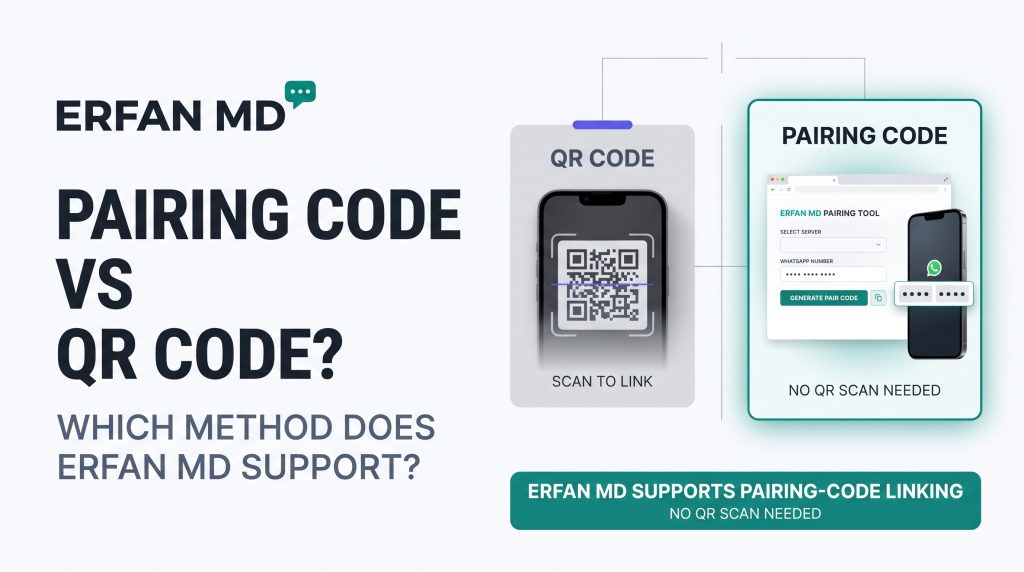
The pairing process explains how an account is connected. It does not independently establish whether pairing or subsequent bot usage is free.
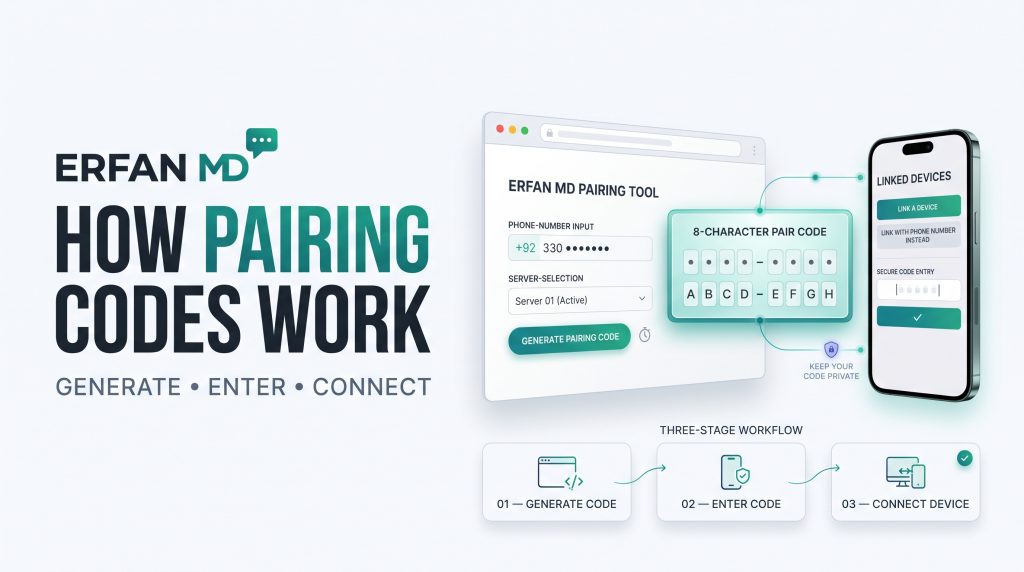
- Open the pairing tool and choose a server. Review the active slots displayed against the server’s limit.
- Enter the WhatsApp number you own, including its country code.
- Select Generate Pair Code.
- Receive the eight-character pairing code. Follow the displayed cooldown timer and use the Copy Code button when available.
- Open WhatsApp, go to Linked Devices, choose Link a Device, and select Link with phone number instead.
- Enter the pairing code. After successful linking, the bot sends a connection confirmation showing the command prefix and mode. Enter .menu to view the available features.
Only pair a WhatsApp account that belongs to you or that you are authorised to connect. Never share a pairing or verification code with another person. Review your Linked Devices regularly and remove a session you no longer recognise or need. For additional guidance, see the Erfan MD connection guide.
Common Mistakes When Checking Whether a WhatsApp Bot Is Free
- Confusing an available slot with a free allowance: The dashboard shows active slots against a limit, not a published pricing policy.
- Assuming the menu is a price list: The .menu command displays features, not confirmed fees or quotas.
- Assuming public mode means unrestricted access: Public mode describes who receives replies. It does not confirm that every command has identical permissions or conditions.
- Blaming every problem on the bot: The website, pairing tool and connected bot are separate components. Identify which one is causing the problem before drawing conclusions.
- Sharing a pairing code: A code is part of the account-linking process. Keep it private and only connect an account with proper authorisation.
What Erfan MD Cannot Guarantee or Confirm
The available product information does not establish a free subscription, unlimited commands, a particular usage allowance or a zero-cost hosting arrangement. It also does not confirm whether any individual command depends on a paid external service.
Erfan MD is an independent WhatsApp bot project. It is not owned, operated, endorsed or certified by WhatsApp or Meta. Account bans are decided by WhatsApp or Meta, not Erfan MD, and Erfan MD cannot guarantee a ban-free experience.
Erfan MD has no access to users’ WhatsApp chats or data. It runs a server that the user’s WhatsApp account links to. This privacy description does not remove the need to protect pairing codes, manage linked devices and follow the relevant service rules.
Frequently Asked Questions
Is Erfan MD WhatsApp bot free to use?
Its current free or paid status has not been confirmed in the available product information. Users should check the published pricing and terms before assuming that website access, pairing and bot usage are free.
Are all Erfan MD commands free?
No verified command-by-command pricing information is available. The .menu command lists features, but it does not establish whether every command is unrestricted or has no external service cost.
Does generating a WhatsApp pairing code cost anything?
The pairing process is documented, including server selection, code generation and the WhatsApp linking steps. However, the available information does not confirm whether the pairing tool has a fee or a specific free allowance.
Can a WhatsApp bot involve costs even when access is free?
Yes, an internet provider can charge for mobile data, and an applicable external API or AI provider can have separate fees. No particular paid third-party dependency or customer charge has been confirmed for Erfan MD.
Does public mode mean anyone can use every command?
Public mode means the bot replies to anyone, while private mode replies only to the owner. That distinction does not establish that all commands have identical permissions, access conditions or pricing.
Is Erfan MD an official WhatsApp service?
No. Erfan MD is an independent WhatsApp bot project and is not owned, operated, endorsed or certified by WhatsApp or Meta. WhatsApp and Meta independently control account enforcement decisions.
About This Guide
Written by Erfan Ahmed, founder of Erfan MD.
Last updated: [OWNER TO CONFIRM: date pricing, quotas and third-party dependencies were last verified]. Prepared from Erfan MD’s own pairing dashboard and product documentation.
For product-related questions, contact company@explorefrag.com.
What Can Change
Available commands, bot versions and service availability can change. The visible pairing flow and command menu should be reviewed when the product interface or service configuration is updated.