Pakistan and India Phone Number Format for Erfan MD
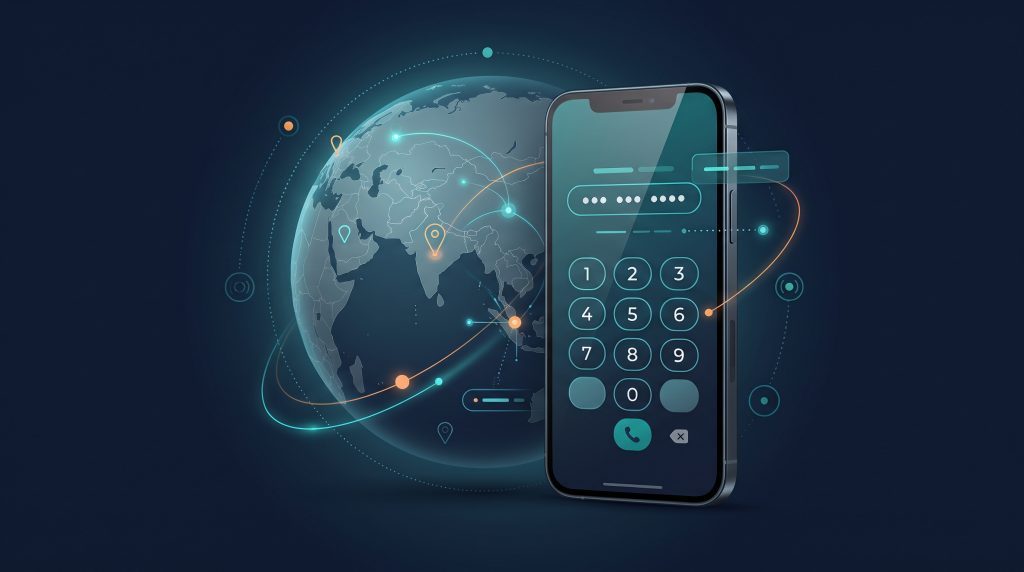
For an Erfan MD WhatsApp bot pair code, users in Pakistan should identify their number with the +92 country calling code, while users in India should use +91. After the country code, enter the national number in the format requested by the live pairing field. The correct country code is only one part of preparing a number for pairing.
Pakistan phone number format with +92
Pakistani users should identify Pakistan using its international calling code, +92. When preparing a number for an international form, distinguish the domestic format from the international format. A number copied directly from a local contact list may include a domestic prefix. Do not automatically transfer every character into the international field without checking the numbering instructions.
A fictional Pakistani mobile-number example
Consider this structural example: +92 [fictional national mobile number]. The bracketed description is a placeholder, not a real subscriber number. Enter your own digits only after confirming the correct presentation for your number type.
What happens to the local leading zero?
The distinction between a domestic prefix and an international country code is important. The number-format instructions for Pakistan call for an explanation of when the domestic leading zero is omitted. However, the exact transformation should be confirmed against a current authoritative numbering reference before this example is treated as validated guidance.
[OWNER TO CONFIRM: Verify the current Pakistani mobile-number format and the treatment of the local leading zero. Replace this marker with the verified rule.]
Do not remove additional digits simply because they appear after the country code. Preserve the actual national number and check the instructions of the Erfan MD pairing field. Correct formatting does not guarantee that every mobile carrier or account can use the pairing service.
India phone number format with +91
Indian users should identify their country using the international calling code +91. The country code identifies India, while the national number identifies the individual subscriber within the country’s numbering plan. These are two separate parts of an international phone number.
A fictional Indian mobile-number example
A general structural illustration is +91 [fictional national mobile number]. The words inside the brackets are explanatory placeholders. They are not digits and should not be copied into the pairing form. Use the number belonging to the WhatsApp account that you intend to link.
[OWNER TO CONFIRM: Validate the current Indian mobile-number length and international format against an authoritative numbering reference.]
Understand the country code and national number
Do not confuse the country calling code with the subscriber’s national number. If a form provides separate country and mobile-number fields, follow their labels. Do not enter +91 a second time if the country has already been selected and the number field requests only the national part.
This distinction is useful when entering an Indian WhatsApp bot number, because the country selector and the number field may have different purposes. Check the actual form rather than assuming every website uses the same layout.
| Country | Country calling code | Number-entry principle |
|---|---|---|
| Pakistan | +92 | Follow the verified international presentation for the national number. |
| India | +91 | Use the country code once and follow the national-number field instructions. |
International number formatting for readers in other countries
Although this guide focuses on Pakistan and India, Erfan MD’s international setup information is relevant to readers researching WhatsApp automation in other markets. These include the United States, United Kingdom, London, Germany, Canada, Australia, New Zealand, France, Italy, Spain, Netherlands, Ireland, Switzerland, Austria, Belgium, Sweden, Norway, Denmark, Finland, Portugal, Poland, Brazil, Singapore, Malaysia, the United Arab Emirates, Saudi Arabia and South Africa.
Each country has its own calling code and national numbering arrangements. A reader in the United States should not copy a Pakistani +92 example. Similarly, someone in Germany, London, Canada or Australia should use their own country’s international numbering format rather than an example intended for India.
The same principle applies to users in other European, Asian, African, Middle Eastern and South American markets. First identify the country calling code, then establish which part of the national number belongs in the form.
This article does not provide validated number examples for all these countries. For country-specific guidance beyond Pakistan and India, read the international phone-number format guide. Country references describe the intended international readership, not guaranteed regional, carrier or account availability.
Check the Erfan MD pairing number field
Number formatting is one part of the Erfan MD connection process. The website provides information and guides, the pairing tool generates a code, and the bot handles commands inside WhatsApp after linking. A problem with one part does not automatically mean that another part has failed.
Before submitting a WhatsApp bot number, inspect the live form. Check whether the page uses a country selector, a separate calling-code field or a single international-number field. Do not enter the country code twice, and do not assume that a visual placeholder is a complete statement of all validation rules.
[OWNER TO CONFIRM: Inspect the current live form and document its exact country-selector behavior, placeholder instructions and accepted number format.]
Steps for requesting a pairing code
- Open the Erfan MD pairing tool.
- Choose a server and review the active slots shown against its displayed limit.
- Enter the WhatsApp number belonging to the account you own, including its country code as requested by the field.
- Select Generate Pair Code.
- Review the eight-character code, cooldown timer and Copy Code button displayed by the tool.
- Open WhatsApp, go to Linked Devices, select Link a Device, choose Link with phone number instead and enter the pairing code.
After linking, the bot sends a connection confirmation showing the command prefix . and the mode public. The .menu command lists the available features. Read how Erfan MD works and the Erfan MD connection guide for the wider setup process.
Troubleshooting number and pairing-code issues
Start by identifying where the problem occurs. If the number field does not accept the entry, review the country code, national number and field instructions. For Pakistan, check the verified leading-zero rule before changing the number. For India, check that +91 is used only as instructed.
If the pairing tool generates a code, continue with the WhatsApp Linked Devices instructions. A number-format question and a device-linking question are different issues. Avoid repeatedly changing a correctly entered number when the issue is actually at the next stage.
| Mistake | Why it matters | What to do |
|---|---|---|
| Using the wrong country code | The international country identifier does not match the intended number. | Confirm the country calling code. |
| Repeating the country code | The form may already have a separate country selector. | Read the field labels and enter the code once where requested. |
| Guessing the leading-zero rule | Domestic and international number presentations can differ. | Check an authoritative numbering reference. |
| Sharing the pairing code | The code is used in the account-linking process. | Keep it private and describe the issue without disclosing it. |
For a general explanation, read how Erfan MD pairing codes work. For platform-side device instructions, consult the WhatsApp Help Center.
Common mistakes and limitations to understand
A common mistake is assuming that a correctly formatted international number guarantees a successful connection. Formatting only addresses the number-entry stage. It does not establish account eligibility, carrier support, regional availability or server capacity.
Another mistake is using a sample number or someone else’s account. The examples in this article are structural illustrations, not working subscriber numbers. Pair only a WhatsApp account that you own or are explicitly authorized to link. Never share pairing codes or verification codes with another person.
Erfan MD is an independent WhatsApp bot project. It is not owned, operated, endorsed or certified by WhatsApp or Meta. Erfan MD has no access to users’ WhatsApp chats or data; it runs a server that the user’s WhatsApp account links to.
WhatsApp and Meta make account-ban decisions. Erfan MD cannot control those decisions or guarantee a ban-free experience. Use communication features responsibly and contact only people who expect to hear from you. Review Linked Devices regularly and unlink sessions you no longer recognize.
Frequently asked questions
Which country code should Pakistani users enter?
Pakistan’s international country calling code is +92. Follow the live form instructions for the national number and verify the domestic leading-zero rule before applying a number transformation.
Which country code should Indian users enter?
India’s international country calling code is +91. Use it once when the field requests a complete international number, or follow the separate country-selection controls when available.
Can someone in the United States, Germany or the United Kingdom read this guide?
Yes. The guide is intended for an international audience, including readers in the United States, Germany, the United Kingdom, London and other markets. Its +92 and +91 instructions, however, apply to Pakistan and India rather than every country.
Does a correct WhatsApp bot number guarantee a pairing code?
No. Correct formatting is not a guarantee of service availability or account eligibility. Follow the live pairing form and the account-linking instructions.
Does Erfan MD have access to my private WhatsApp conversations?
No. Erfan MD has no access to users’ WhatsApp chats or data. It operates a server linked to the user’s WhatsApp account, and users should keep their pairing and verification codes private.
What can change
Pairing-tool field instructions, server availability, cooldown details and bot commands may change as the product is updated. Review the current pairing page and product documentation before starting a new connection.
About this guide
Written by Erfan Ahmed, founder of Erfan MD. Last updated: 16 November 2026. Prepared from Erfan MD’s own pairing dashboard and product documentation.