
Automation backfires when the workflow sends the wrong answer at scale, ignores a customer’s request, repeats a message, or continues after the data behind it is no longer current. Preventing those failures starts with a narrow scope and a clear stop condition.
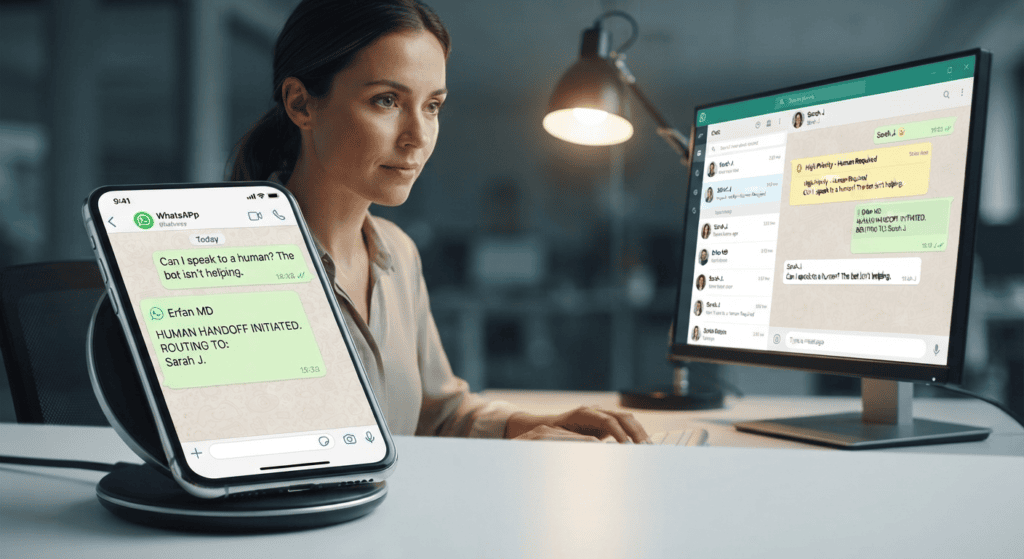
Start with the failure modes
Test missing data, ambiguous questions, duplicate webhooks, timeouts, rate limits, product changes, and customers asking for a person. Make sure the system can say “I don’t know” and route the case instead of filling gaps with guesses.
Set boundaries and monitoring
Use approved source data, change logs, least-privilege access, and a way to pause automation quickly. Review a sample of answers after launch. Measure wrong replies and repeat contacts along with response speed.
Review failure modes before launch
Test at least these cases: unclear language, wrong price, out-of-stock item, duplicate event, angry customer, opt-out, connection outage, and request for a human. Define what the system should do in each case and who receives escalations. Keep a kill switch that stops unsafe or inaccurate responses. After launch, sample conversations under an approved privacy process and update rules when products or policies change.
Monitor leading warning signs
Look for repeated “agent please” requests, corrections to prices, customers repeating their question, duplicate confirmations, rising opt-outs, and messages sent after a conversation should have closed. Choose thresholds that trigger review before complaints accumulate. Keep an owner responsible for disabling the flow and updating the source content. A bot is not finished at launch; product changes and new customer questions require ongoing maintenance.
A related guide, WhatsApp Channels vs Broadcast Lists: Key Differences, covers a different part of this workflow and helps you plan the next step.
A practical test checklist
- Choose one low-risk workflow for the first release.
- Test normal, invalid, and outage scenarios before launch.
- Provide a human route and an emergency pause.
- Review incidents and update the rules or content afterward.
A practical scenario
If a price feed is unavailable, the bot should not reuse an old price silently. It should tell the customer that the price needs confirmation and route the request to staff.
Limits and safeguards
No test plan can guarantee zero failures. Avoid automating irreversible actions or sensitive decisions without stronger controls and human authorization.
Test the failure path, not just the happy path
Use this mini-check on an authorized test setup before relying on this workflow. It is a repeatable test plan, not a claim that Erfan MD has already passed these cases.
- Feed an unknown request, stale product fact, duplicate event, and ambiguous question to the workflow using test data.
- Confirm the system pauses or escalates instead of guessing, repeating a message indefinitely, or making an unapproved promise.
- Identify a simple stop switch and verify the manual reply process works while the automation is paused.
Frequently asked questions
What is the most useful first safeguard?
A reliable fallback that stops the bot from guessing or sending the same action repeatedly.
How often should responses be reviewed?
Set a review schedule based on message volume and risk, and review immediately after a significant incident or content change.
Official references and further reading
- WhatsApp Business Messaging Policy
- WhatsApp Terms of Service
- WhatsApp Business Platform pricing documentation
Feature availability depends on the exact product, connection method, account eligibility, and provider. Verify the workflow on an authorized test setup before relying on it in customer conversations.
Continue with these guides
- WhatsApp Bot Myths: Privacy, Safety and Spam — Separate common WhatsApp automation myths from documented limits around privacy, third-party tools, unsolicited messages, and account….
- WhatsApp Automation Downtime Plan: Protect the Customer — Use a clear outage checklist to detect failures, switch to manual support, preserve open cases, and resume messaging safely after a bot outage.