
A win-back campaign tries to reconnect with a customer who has not interacted recently. Before drafting the message, confirm that the customer is eligible to receive it and that the reason for contact is relevant.
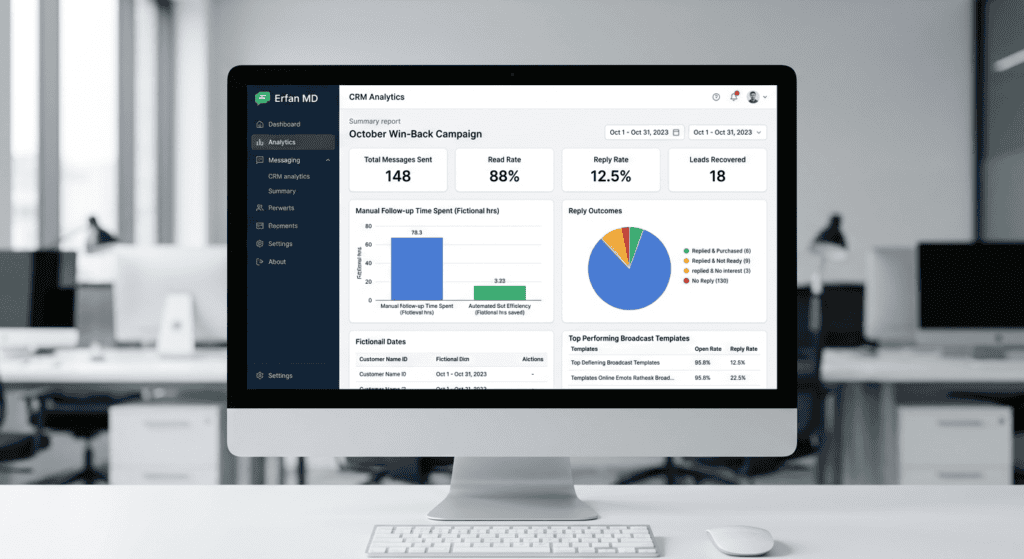
Segment before sending
Separate recent buyers, former subscribers, unresolved support cases, and people who opted out. These groups have different expectations. Do not assume an old order automatically authorizes any future marketing, and do not treat silence as affirmative interest.
Give a useful reason to return
A message can mention a relevant restock, a service update, or a preference the customer chose to hear about. Identify the business clearly and make the next step optional. Do not use false urgency or claim a personalized offer when the offer is generic.
Define eligibility before recontacting
Review how the contact was collected, which messaging permissions apply, and whether the customer has opted out or complained. Segment people by a genuine business reason—such as an opted-in service update or a relevant product restock—rather than messaging every old number. Use honest wording, a clear way to stop messages where required, and a limited test. Do not use purchased lists or imply the customer has an existing order when they do not.
A win-back message should have a reason
Use a relevant update such as a requested restock or a service change when the person is eligible to receive it, rather than sending generic “we miss you” messages to every historical number. State the offer's real conditions and expiry, if any. Test a small segment, monitor negative responses, and stop if the contact is no longer eligible. A quiet customer is not automatically a customer who agreed to future promotions.
Continue with Cost of Answering WhatsApp Messages Manually: A Calculator to plan a related lead or follow-up step without assuming every contact is ready to buy.
A practical sales checklist
- Verify eligibility and the permission record.
- Choose a relevant segment and one clear message.
- Provide a straightforward way to stop further contact.
- Monitor replies, complaints, blocks, and opt-outs.
Example workflow
“Hello [Name], this is [Business]. The [product/service] you asked about is available again. Would you like the current details? Reply STOP if you no longer want these updates.” Use a stop word only if your channel and process actually support it; otherwise state the real opt-out path.
Risk checks before launch
A win-back sequence must not bypass WhatsApp policies or local marketing law. Do not contact people who opted out, and avoid repeated messages when someone does not respond.
Review eligibility before a win-back message
Use this mini-check on an authorized test setup before relying on this workflow. It is a repeatable test plan, not a claim that Erfan MD has already passed these cases.
- Segment customers by a meaningful prior relationship or purchase rather than sending the same message to every old contact.
- Check the applicable WhatsApp policy, the permission recorded for the contact, and any previous opt-out before sending.
- Send a single relevant reason to return, measure negative responses as well as clicks, and suppress future sends after an opt-out.
A few common questions
How long should a customer be inactive before a win-back?
Choose a period based on the product cycle and permission context; there is no universal interval.
What is a good success measure?
Track meaningful re-engagement, resulting sales or service use, and negative signals such as complaints and opt-outs.
Official guidance and references
A previous customer relationship does not automatically mean a person expects any future campaign. Check permission and opt-out status before selecting an audience.
Related practical guides
- WhatsApp Follow-Up Timing: A Practical Guide — Choose follow-up timing based on the customer’s stated deadline, the request type, and permission—not a universal “best hour” rule.
- WhatsApp Bot Myths: Privacy, Safety and Spam — Separate common WhatsApp automation myths from documented limits around privacy, third-party tools, unsolicited messages, and account….