
A useful follow-up reminds the customer of the context, adds a relevant next step, and makes it easy to decline. The goal is to help the person continue a conversation—not to pressure them with repeated messages.
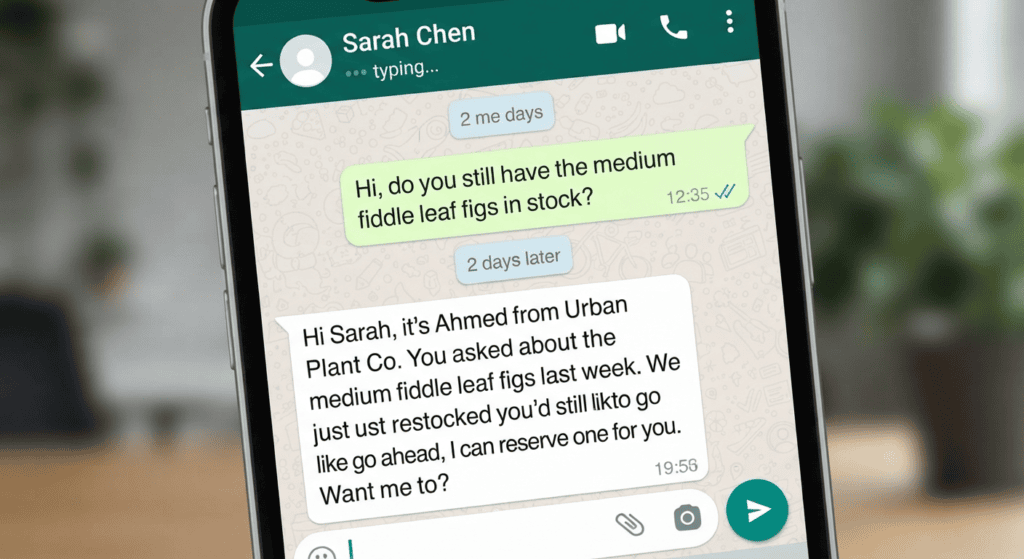
Templates that preserve context
Quote: “Hi [Name], following up on the [item/service] quote from [day]. Would you like me to clarify anything?” Appointment: “Hello [Name], would you like to keep the [time] appointment or choose another slot?” Support: “I’m checking whether the solution worked. Reply if you still need help.”
Send only when the contact expects it
Use follow-ups connected to a recent enquiry or a consented workflow. Avoid sending the same text to unrelated contacts, hiding the business identity, or treating a read receipt as permission to keep messaging.
Personalize only with verified context
A good follow-up refers to the product or question the customer actually asked, adds one useful detail, and offers a simple next step. Do not make up scarcity, claim a discount expires if it does not, or send repeated nudges after silence. Before using a template at scale, test it with a small appropriate audience, monitor negative replies and opt-outs, and respect applicable WhatsApp messaging rules.
Review results responsibly
Measure useful replies and resolved enquiries instead of maximizing the number of follow-ups. If a template receives frequent “stop”, “wrong person”, or complaint responses, pause it and investigate the list source, relevance, and timing. Keep a record of message purpose, audience criteria, and version so the team can learn from results. A template that works for an appointment reminder may be inappropriate for a cold sales pitch.
For another ready-to-adapt example, read WhatsApp Greeting Message Examples That Sound Natural; adjust the wording to the recipient and the specific conversation.
Before using these messages
- Include the original topic or request.
- Add one clear question or next action.
- Use a reasonable interval based on the customer’s stated expectations.
- Respect an opt-out, refusal, or lack of interest.
A small-business example
For a quote, one contextual follow-up can help the customer raise a question they forgot to ask. If they say they are not interested, close the loop rather than starting another sequence.
Important limitations
These templates are examples, not a guarantee of replies or sales. Promotional follow-ups require appropriate permissions and must comply with the current WhatsApp Business Messaging Policy and local rules.
Review each follow-up before sending it
Use this mini-check on an authorized test setup before relying on this workflow. It is a repeatable test plan, not a claim that Erfan MD has already passed these cases.
- Include the original context so the recipient knows why the business is contacting them.
- Add one useful update or clear next step instead of sending a generic “just checking in” repeatedly.
- Confirm the contact is eligible for the message, limit frequency, and record opt-outs so the same person is not contacted again.
A few common questions
How many follow-ups should I send?
There is no universal number. Use a restrained policy suited to the context and stop after a refusal or opt-out.
Can I automate these templates?
Only if the product supports it and the message is permitted for the recipient and use case.
Official guidance and references
Adapt templates to the exact conversation and applicable permission. A message that works for a requested quote may be inappropriate for an unrelated promotional follow-up.
- WhatsApp Follow-Up Timing: A Practical Guide — Choose follow-up timing based on the customer’s stated deadline, the request type, and permission—not a universal “best hour” rule.
- Missed-Call WhatsApp Follow-Up Messages: Examples — Use polite WhatsApp follow-up messages after a missed call, with permission, clear identity, and an easy way for the recipient to decline….