
A WhatsApp automation bot is software that responds to defined message events or customer requests. Depending on the product, it may send approved answers, collect information, or route a conversation to a person. The exact capabilities depend on the integration and rules—not on the word “bot” alone.
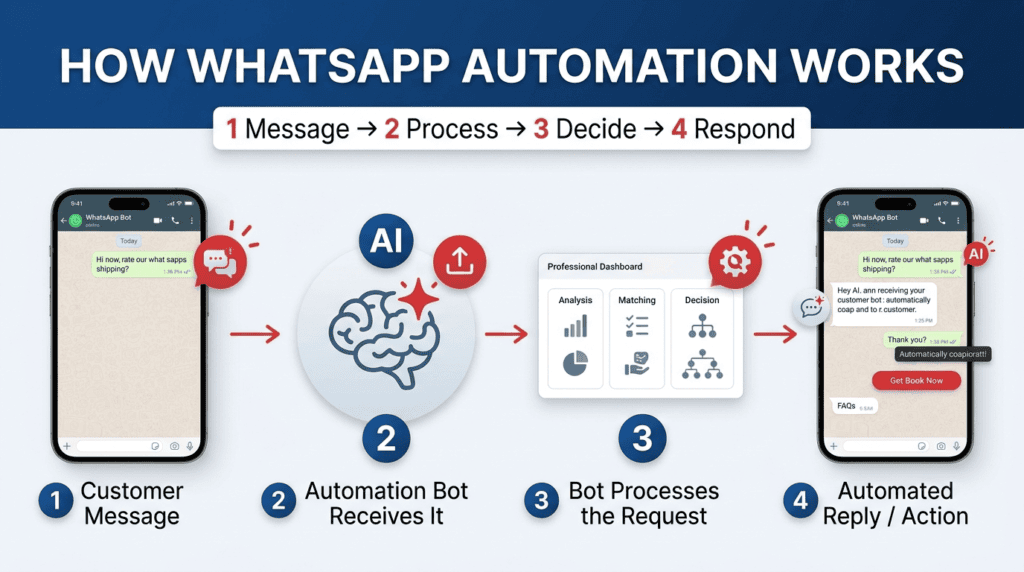
The basic message flow
A useful automation has four parts: an incoming event, a rule or decision, a response, and a record of what happened. A keyword bot may respond to “hours”; a more advanced system may classify the request. Neither should invent prices or make commitments that the business has not approved.
Choose the connection method before choosing features
The official WhatsApp Business Platform is designed for business integrations through supported APIs. Linked devices are intended for supported WhatsApp clients; WhatsApp warns that unofficial apps or websites can create account and security risks. A third-party pairing page should not be assumed to be officially supported simply because it produces a code.
Map one message from start to finish
Write down the incoming question, the rule that classifies it, the approved reply, and the result recorded after sending. Then test a spelling variation, an empty message, and a question the system cannot answer. A reliable workflow should have a safe fallback instead of guessing. Also establish who can pause automation and where a customer can reach a person. These checks tell a business more about the real system than labels such as AI-powered or fully automatic.
A five-case acceptance test
Before calling the flow ready, test a normal request, a misspelled keyword, a message outside business hours, a duplicate event, and a request for a person. Write down the expected result for each case and compare it with what actually happened. If the bot sends the wrong answer, pauses without explanation, or cannot pass context to a person, the workflow is not ready for customer use. Repeat the test after any major rule or integration change.
A related guide, WhatsApp Channels vs Broadcast Lists: Key Differences, covers a different part of this workflow and helps you plan the next step.
Checklist before launch
- Write down one repeated question the system should answer.
- Define the exact input, approved answer, error response, and human handoff.
- Confirm the provider, connection method, data retention, pricing, and disconnect process.
- Test incorrect input and duplicate messages before using customer data.
Applying it to one task
A bakery might automate its opening hours and delivery-area answer first. If a customer asks about an allergy, refund, or unusual order, the workflow should route the conversation to a staff member rather than improvise.
What not to assume
“Automatic,” “AI-powered,” “works 24/7,” and “secure” are not proof of a specific capability. Test the advertised feature and read the provider’s terms before linking a real account.
Trace one message from start to finish
Use this mini-check on an authorized test setup before relying on this workflow. It is a repeatable test plan, not a claim that Erfan MD has already passed these cases.
- Use a non-customer test conversation and record the exact incoming message, trigger/rule, approved response, and resulting log entry.
- Test one common phrase, one spelling variation, one unknown question, and one request for a person; note whether each follows the intended path.
- Confirm who can pause the workflow and how a customer reaches a human when the automation cannot answer.
Frequently asked questions
Does every WhatsApp bot use AI?
No. Some follow fixed rules or keywords; others use language models. Check the specific product documentation.
Can a bot guarantee an account will not be restricted?
No third-party provider can guarantee WhatsApp account outcomes. Review the applicable terms and use supported methods.
Official references and further reading
- WhatsApp Business Messaging Policy
- WhatsApp guidance on linked devices and unofficial apps
- Meta Terms for WhatsApp Business
Feature availability depends on the exact product, connection method, account eligibility, and provider. Verify the workflow on an authorized test setup before relying on it in customer conversations.
Related guides
- WhatsApp Automation Bot: What It Can and Can’t Do — See common WhatsApp bot tasks, where automation fails, and how to decide which customer conversations still need human review.
- What to Automate First in WhatsApp Business — Choose a first WhatsApp automation workflow using message frequency, risk, answer stability, and the cost of an incorrect response.