
A useful product listing helps someone decide whether the item fits their need. It should answer the obvious questions before using promotional language: what it is, what options exist, how much it costs, and how to buy it.
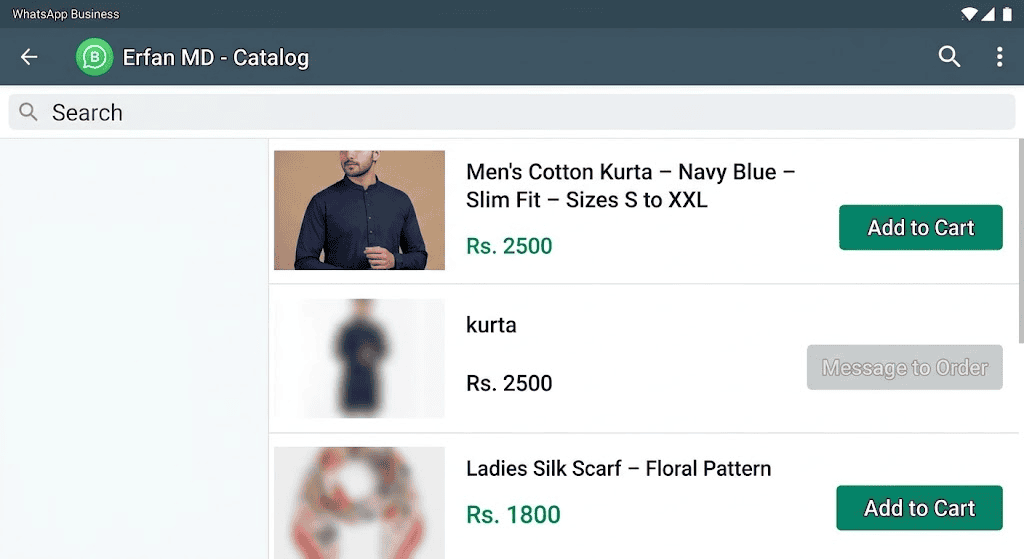
Use a repeatable product format
Include product name, model or variant, the most important specification, price or quote basis, stock status, delivery or pickup terms, and a next step. The details differ by category: clothing needs sizes and material; electronics need compatibility; food may need portion size and allergen information.
Replace vague claims with details
Instead of “premium quality,” state the material, dimensions, warranty, or care instructions where known. Instead of “best seller,” use a verified customer rating or omit the claim. Keep product photos representative and update listings when the product changes.
Write listings to support a decision
Lead with the product name and the detail that separates it from similar items. Add dimensions, material, compatibility, quantity, warranty, delivery limits, or other facts relevant to the purchase. Avoid unsupported superlatives and stock photography that misrepresents the item. A useful description reduces follow-up questions and returns; it does not need repeated keywords. Test listings by checking whether staff can answer common customer questions from the information shown.
A product-description review
Before publishing, ask a colleague to find the price, exact variant, key compatibility detail, delivery condition, and return terms without opening another page. If they cannot, revise the listing. Replace vague claims such as “best quality” with a verifiable specification, warranty, material, or demonstration. Keep the same product naming in the catalog, invoice, and order system to reduce mistakes in the conversation and fulfilment.
For another ready-to-adapt example, read Missed-Call WhatsApp Follow-Up Messages: Examples; adjust the wording to the recipient and the specific conversation.
Before sending a reply
- Write a one-sentence product identity.
- Add the three specifications that most influence the decision.
- Verify price, availability, and delivery information.
- Ask a colleague to identify what is still missing before publishing.
Worked example
Example: “Cotton kurta — sizes S–XXL, two colours, machine-washable. Price: [amount]. Stock varies by size; message with your size and delivery postcode to confirm.” Replace placeholders only with verified product data.
Where this approach can fail
Do not copy the same generic description across every product. A consistent format is useful, but each listing needs accurate, item-specific details.
Check each listing against the buyer’s decision
Use this mini-check on an authorized test setup before relying on this workflow. It is a repeatable test plan, not a claim that Erfan MD has already passed these cases.
- Include the details needed to identify the exact item: model or SKU when relevant, options, dimensions or compatibility, and current price.
- Explain availability, delivery, and return conditions without promising stock that has not been checked.
- Confirm that the next step—asking a question, selecting an option, or placing an order—is easy to understand.
Frequently asked questions
How many specifications should I include?
Include the details that influence selection, fit, safety, compatibility, or total price.
Can a good listing guarantee more sales?
No. It can reduce confusion, but outcomes depend on price, availability, audience, and service.
Official references and further reading
Replace placeholders and verify every factual promise before sending. Keep the wording relevant to the original enquiry and stop messages when a person declines or opts out.
Related workflows
- WhatsApp Catalog Best Practices for Small Businesses — Make WhatsApp catalog listings easier to compare with clear names, current prices, useful photos, availability, and ordering instructions.
- WhatsApp Product Listings: Help Customers Choose and Order — Create useful product listings for chat-based buying with clear specifications, option availability, prices, and a safe order-confirmation….